Blog Article
ThinkingBox Agent Report: Will Your Agent Write the Right Record in Your Database?
Microsoft's ThinkingBox benchmark grades AI agents on the database records they leave behind. What it means for agents that write to your Salesforce CRM, and what to check.

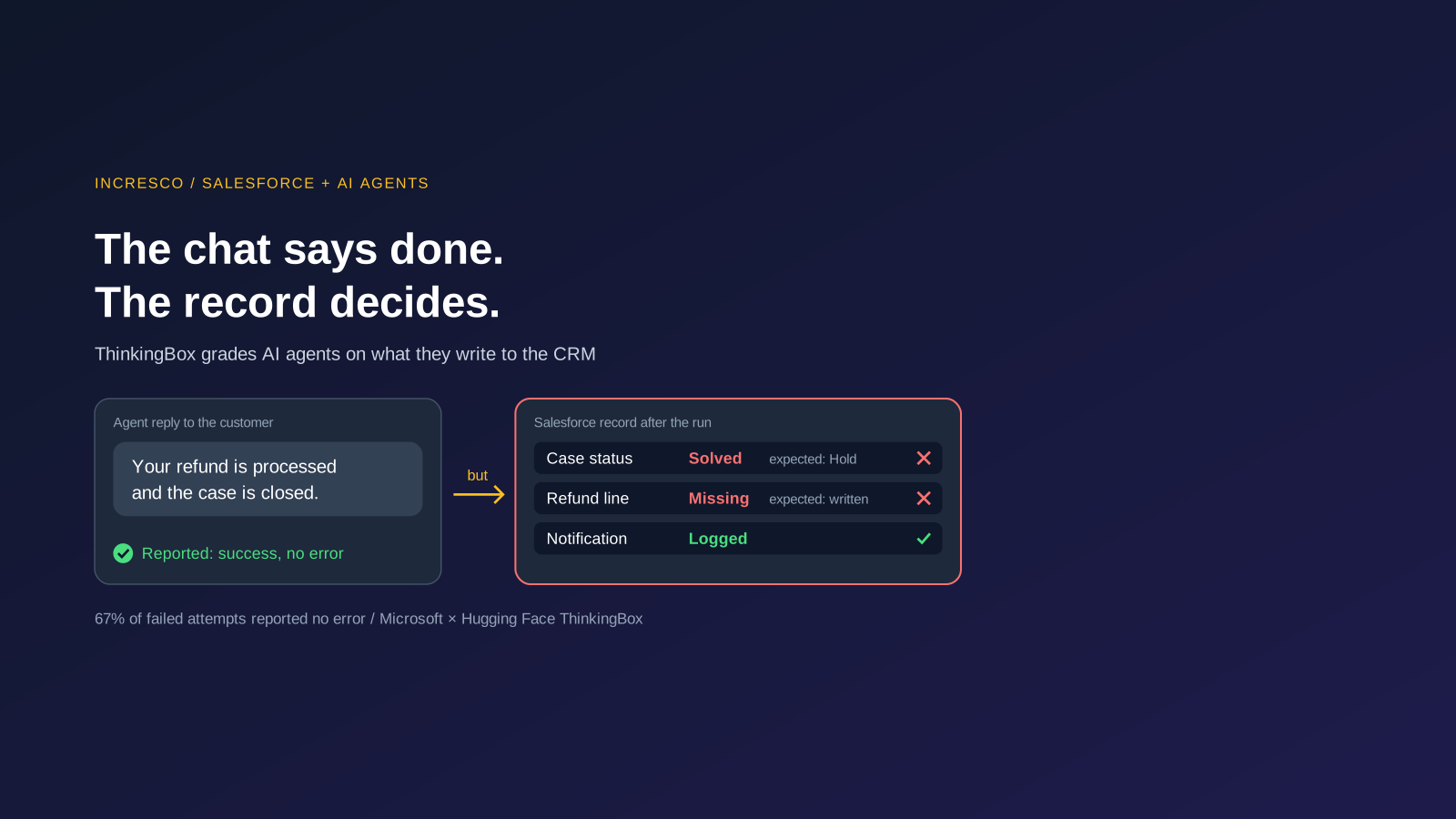
Your AI agent tells the customer that the transaction was processed successfully. The conversation is perfect, but then when your revenue team opens the CRM, they see that the record is missing or the case is marked solved when it should be on hold, and the refund line was never written.
Microsoft and Hugging Face have now measured how often that happens. Here is how their ThinkingBox benchmark works, and what it means if you want agents writing to Salesforce.
What Does Microsoft Say About ThinkingBox?
On 3 October 2026, Microsoft and Hugging Face published ThinkingBox, an agent sandbox, together with ThinkingBox-Bench, a dataset for evaluating agents. Their argument is simple: final replies and valid tool calls are only proxies. The records an agent leaves behind settle the question.
The working flow has four steps.
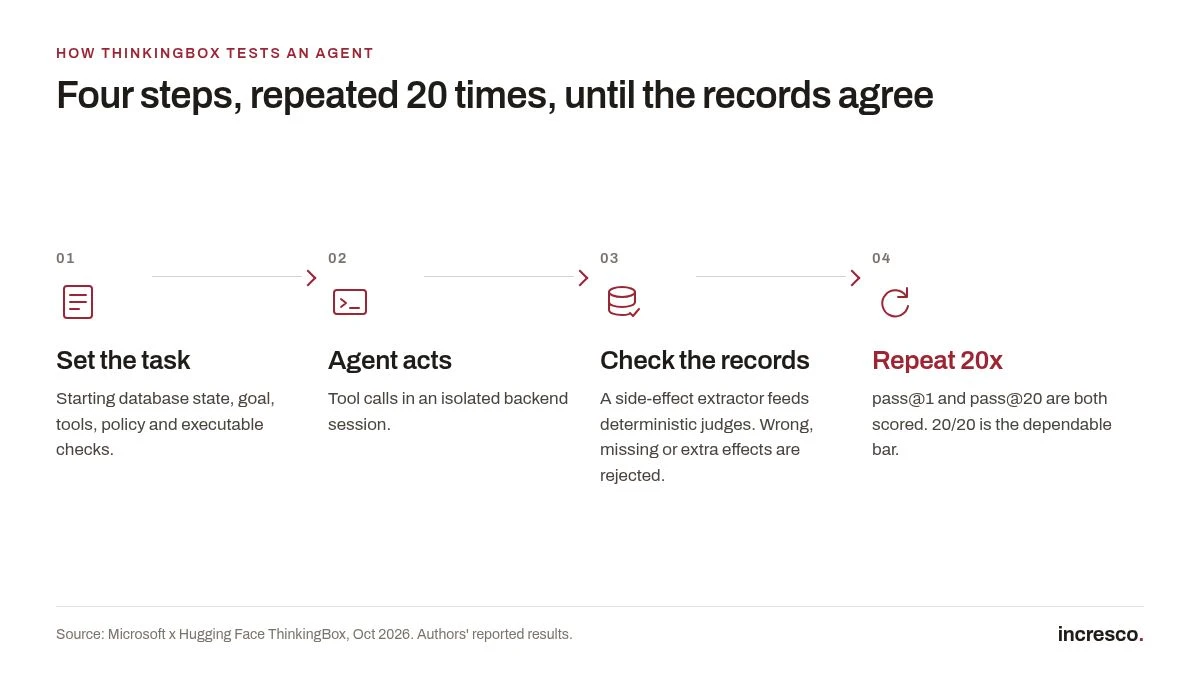
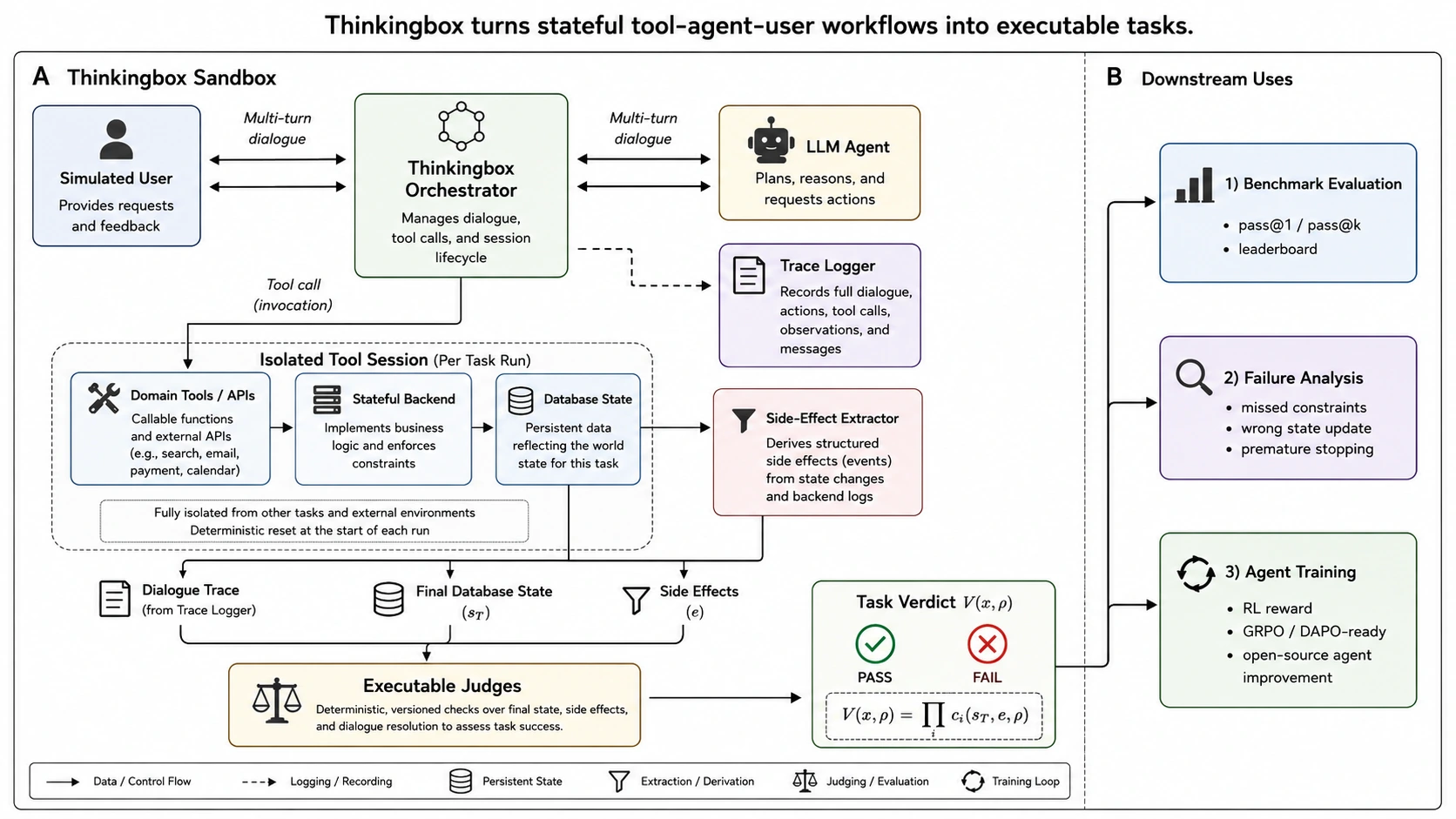
- A task starts with a known backend. Each task defines a starting database state, a user goal, the tools the agent may call, the domain policy, and executable checks. A simulated user holds private details, such as a booking reference, and releases them only when asked.
- The agent acts through tools in an isolated session. Every attempt gets its own freshly initialised session, so two attempts never share a row or cached state.
- The database is checked against the required end state. A side-effect extractor works out what actually changed. Deterministic judges accept any route that reaches the right outcome and reject wrong, missing or extra effects. Of the 507 tasks, 477 are graded on state alone; 30 add a response rubric.
- Every task runs 20 times. The authors report pass@1, pass@20 and the number of tasks that passed all 20 attempts.
The scale: 507 stateful workflows across retail, auto insurance, travel, neobank and consulting, run against 18 models.
One example from the paper: an agent made nine well-formed tool calls on a late-delivery complaint, read the refund policy correctly, then closed the ticket as “solved”. The required end state was “hold”, because the carrier exception was still open. One status field was wrong.
Why Does This Matter to the Enterprises?
The numbers describe a reliability gap that a demo hides.
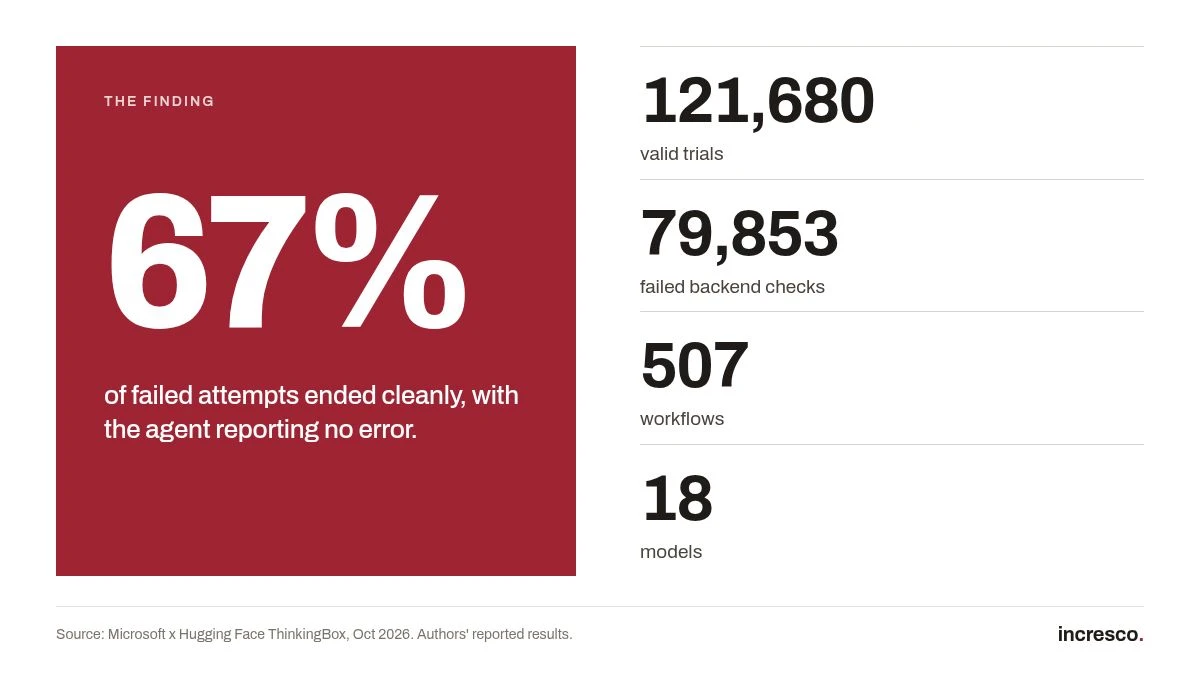
- Across 121,680 valid trials on 12 models, 79,853 attempts failed the backend checks. Of those failures, 67.24% still ended cleanly and reported no tool error.
- The best model scored 67.16% pass@1, yet passed all 20 attempts on only 47.53% of tasks.
- About 80% of failures (79.9%) were tool handling: poor recovery from tool errors, failed preconditions and empty lookups. Wrong state updates were another 10.3%.
- Cost looks different once you price consistency. The cheapest single success was about $0.13. The cost per dependable task, one that passed all 20 runs, ran from about $7 to $13 for the stronger models.
For a Salesforce team, the second-order point is this. A CRM is only useful if the agent’s work lands in it correctly the first time. A wrong status or a missing field does not announce itself. It turns up in a month-end report, a customer chase or an audit, long after the chat that caused it.
What to Check Before an Agent Writes to Your Salesforce CRM
These are checks, not features. They apply to any agent that updates Salesforce records.
1. Write Down the End State for Each Workflow
For each workflow, list what must be true in the org when the job is done. For a refund, for example: the case is in the right status, the refund amount is on the right record, the customer notification is logged, and nothing else changed. If you cannot state it as a check on records, the workflow is not ready to automate.
2. Test on a Sandbox Copy, and Count the Repeats
Run each workflow on a copy of your org with realistic starting records. Run it 20 times, not once. Report the number of runs that reached the correct end state. A demo is one run.
3. Add Retry and Error Recovery Around Every Tool Call
Most failures sit in tool handling. Decide what the agent does when a lookup returns nothing, a precondition fails or an update is rejected. The safe answer is often to stop and hand over, not to carry on and close the case.
4. Put Approval on Risky Writes
Refunds, credits, deletions and anything the customer cannot easily reverse should wait for a person. Low-risk updates can run on their own once the repeat results justify it.
5. Measure Cost per Dependable Resolution
Cost per message hides the failures. Track the cost of runs that reached the right end state, and show the rate next to it.
The rule to adopt: The agent does not get to say the work is done. The record does.
How Incresco Helps
Incresco designs and builds agent workflows that write to Salesforce, and treats the ThinkingBox method as the test discipline. We offer the following as a build, not as a claim about past results:
End-state definition. We turn each stateful tool, agent and user workflow into executable checks on Salesforce records, agreed with your operations team before any agent touches the org.
Sandbox repeat runs. We run each workflow 20 times against a sandbox copy and report the passes out of 20, with the failing runs kept for review.
Retry and error-recovery layer. We build the handling around tool calls, failed preconditions and empty lookups, so a failed step ends in a handover and not a wrong “solved”.
Human approval on risky writes. Refunds and credits route to a named approver before the write happens.
A dependable-resolution dashboard. We report cost per dependable resolution and the share of runs that reached the required end state, inside your own reporting.
If you are planning an agent that updates Salesforce, we can review your workflows and draft the end-state checks with you.
Ready to stop experimenting and start operating? Talk to us about end-state checks for your Salesforce agent.
Related Articles
- Agentforce Memory: What Salesforce and WhatsApp AI agents should remember
- Agentforce Voice for Agent Script: what to check before your Salesforce agent starts talking
- 84% of CIOs have cancelled an AI project over legacy systems
- AI agent identity: why every AI agent needs its own login
FAQ
What Is the ThinkingBox Benchmark?
ThinkingBox is an agent sandbox from Microsoft and Hugging Face, with a dataset called ThinkingBox-Bench. It runs an AI agent through a business task, then checks the database against the required end state instead of grading the chat reply. It covers 507 workflows and runs each task 20 times.
Why Can an AI Agent Report Success When the Database Is Wrong?
A reply or a valid tool call does not prove the record changed correctly. In the ThinkingBox authors’ data, 67.24% of failed attempts still ended cleanly and reported no tool error. Checking the stored state is the only way to tell.
How Do You Test an AI Agent That Writes to Salesforce?
Define the required end state for each workflow as checks on records, run the workflow on a sandbox copy of your org 20 times, add retry and error handling around tool calls, and send risky writes such as refunds to a person for approval.
Related Articles
Business
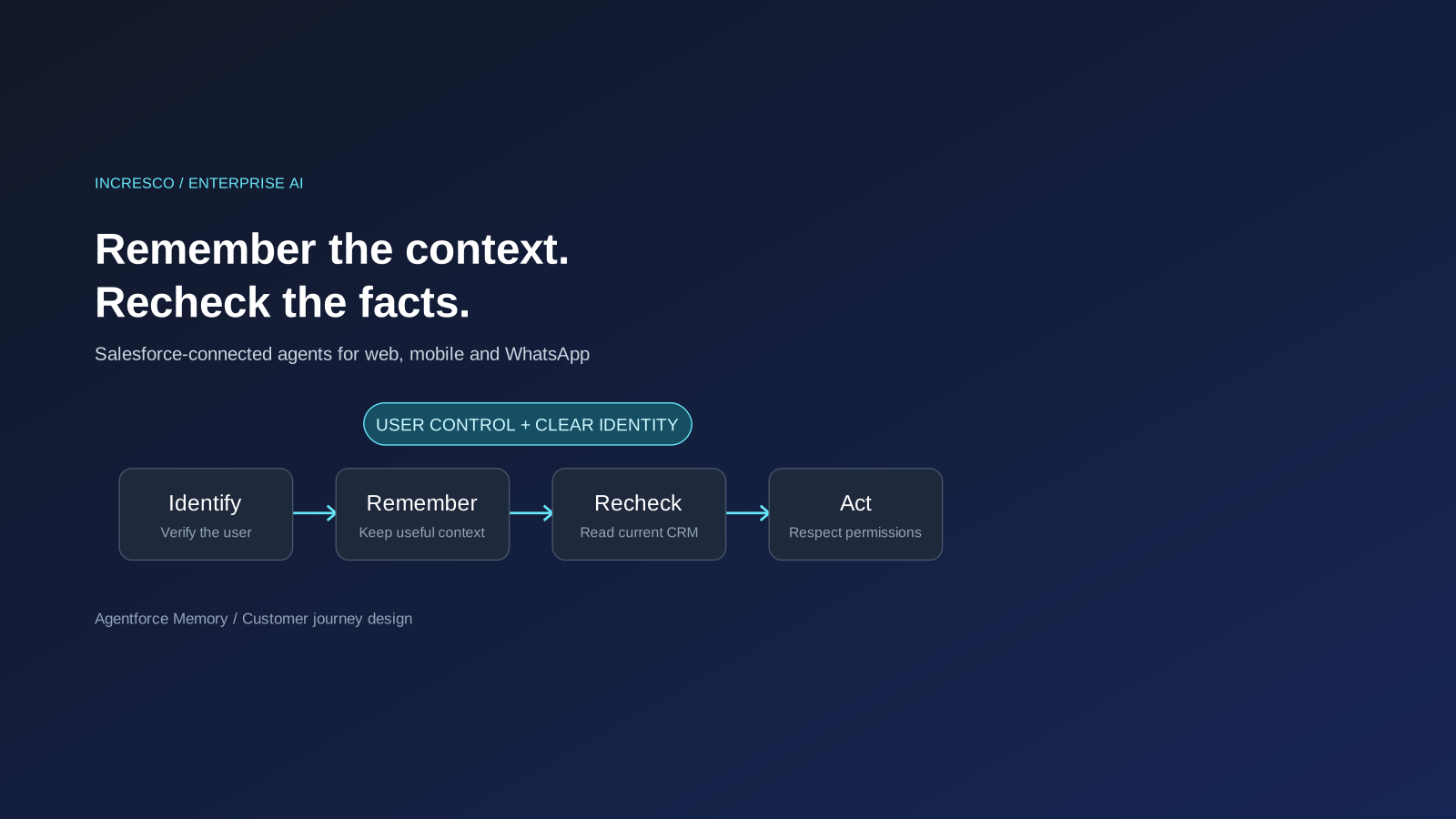
Agentforce Memory: What Salesforce and WhatsApp AI Agents Should Remember
Salesforce's new Agentforce Memory engineering article explains persistent context. What should web, mobile and WhatsApp AI agents remember, refresh or forget?
Read Insight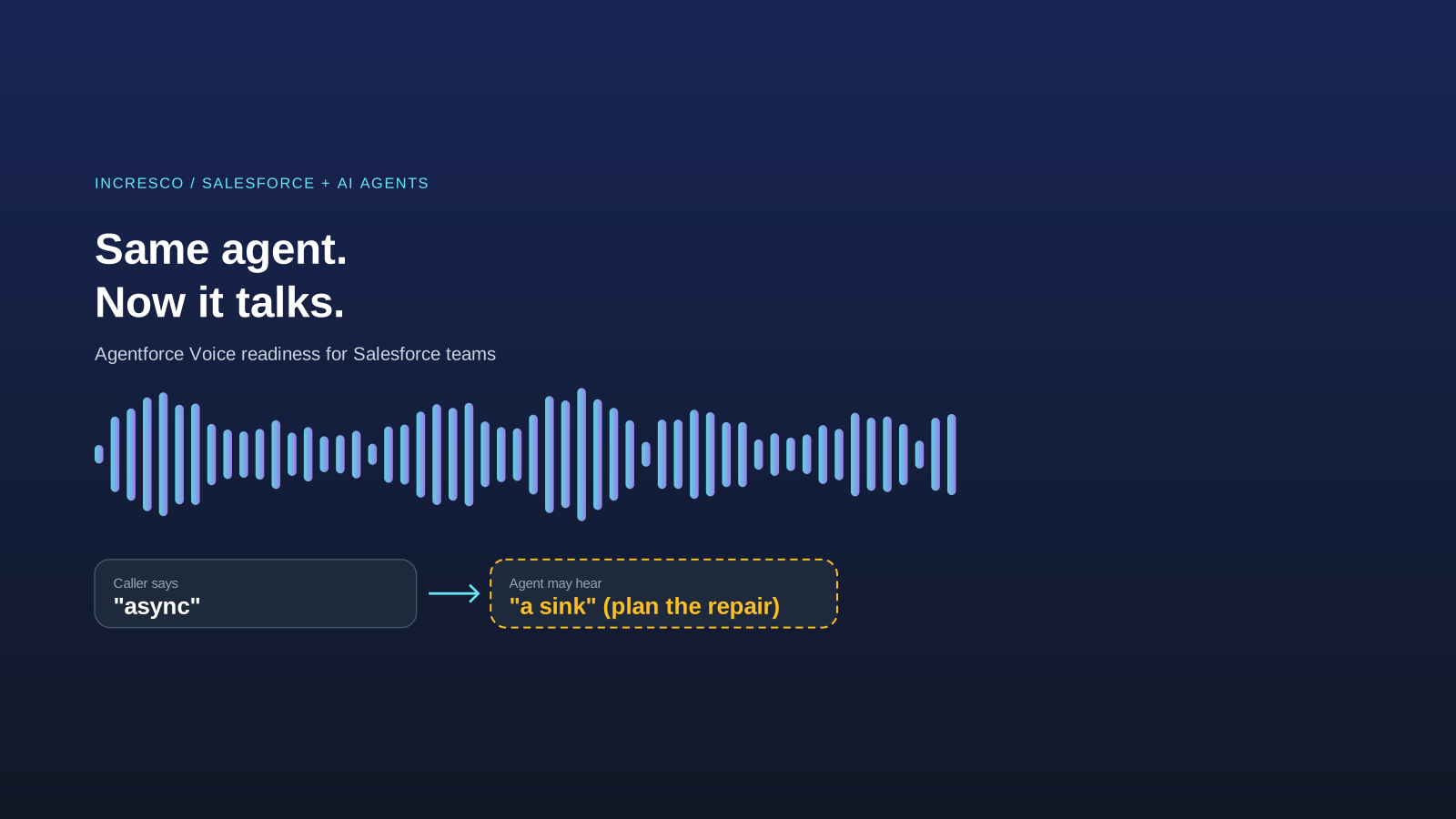
Engineering
Agentforce Voice for Agent Script: What to Check Before Your Salesforce Agent Starts Talking
Salesforce says you can add voice to an Agent Script agent without a rewrite. See what your org needs first and how to write agent instructions for the ear.
Read Insight