Blog Article
When One AI Agent Can Start a Thousand: Claude Managed Agents Dynamic Workflows
Anthropic put dynamic workflows into beta for Claude Managed Agents: an agent can write a program that runs many agents at once. Here is what the docs say, and the ceiling to set before you switch it on.

Most AI agents work one task at a time. You ask, the agent works, it answers. That is easy to watch and easy to stop.
Now picture a task with hundreds of pieces: reviewing every contract in a folder, cross-checking a long list of sources, or checking a backlog of support cases. One agent working through that in one conversation runs out of room. A newer approach lets the agent split the work across many helper agents. That is powerful. It also changes the question you have to ask before you turn it on.
What Did Anthropic Publish?
On October 9, 2026, the Claude Platform release notes announced that a Claude Managed Agents agent can now use dynamic workflows, in beta. The details below are as Anthropic’s documentation states them.
- The agent writes the program. A workflow is a program that runs many agents in phases and combines their results. The agent decides whether and when to start a run, based on the work you describe and any guidance in its system prompt.
- It runs in the background. The server runs the workflow as a workflow run. The agent can keep working or end its turn while the run continues.
- Phases and fan-out. A workflow can split work into named phases. In a phase it can run many agents at the same time and pass what one returns to the next. It can repeat a step, for example revising a draft until a review passes or a set number of rounds is used up.
- Failures are handled in code. When one of its agents fails, the program can handle the failure or let it end the run.
- You turn it on per agent. It is off until you enable
workflowsin the agent’smultiagentsetting. It needs themanaged-agents-2026-04-01beta header, and Anthropic labels the feature beta. - You follow it through events. Run events arrive on the session’s event stream, and each agent in a run works in its own session thread that you can read.
The Limits Anthropic Documents
This is the part worth reading before you build anything. The docs list these limits for workflow runs.
| Limit | Value in the docs | What happens at the limit |
|---|---|---|
| Agents a workflow starts over the run’s life | 1,000 | The server starts no more agents and the run ends with an error |
| Run lifetime | 24 hours by default, or a shorter lifetime the agent sets | The run ends with a timeout error |
| Runs open at once in a session | 10 by default | The server refuses to start another run |
| Session budget | Set by you | Every open run pauses and the session goes idle until the budget is raised or removed |
A few other details from the docs matter for a business owner.
- A run has no price of its own. Its model requests count toward the session’s budget, and its tokens are billed like the session’s other tokens.
- Paused is not finished. A paused run keeps its clock. A run that stays paused can still end with a timeout.
- Run events do not trigger webhooks. If you rely on webhooks to know when work is done, you need to follow the event stream for runs as well.
- Permission policies apply to the tools a run’s agents call, not to starting the run. In our view that makes your tool rules matter more, because a single start can lead to many agents calling tools.
- Changing the agent is blocked while a run is open. Updating the session’s agent returns an error until every run has ended.
Why Should Business Teams Care?
Fan-out is the point. It is also the risk. When one agent can start many, a small mistake in a prompt, a bad document or a loop in the workflow is repeated by every helper. A single customer-service agent that sends one wrong message is a bad afternoon. A hundred helpers doing the same thing is an incident.
The docs show that the platform gives you ceilings. They do not choose the numbers for you. A budget that fits a test is wrong for production. A 24-hour lifetime may be far too long for a task that should take ten minutes. Ten runs at once may be more than your downstream systems can absorb. The numbers are a business decision about cost, speed and blast radius.
Two things from the docs deserve extra attention in a business setting:
- Which tools can the helper agents call? If the helpers can write to your CRM, send WhatsApp messages or issue refunds, the fan-out multiplies those actions.
- Who is watching? A background run keeps going after the conversation ends. Someone has to own the budget alert and be able to stop it.
A Short Checklist Before You Enable It
- Start with read-only work. Let the first workflow runs read, summarize and flag. Do not let helpers change systems yet.
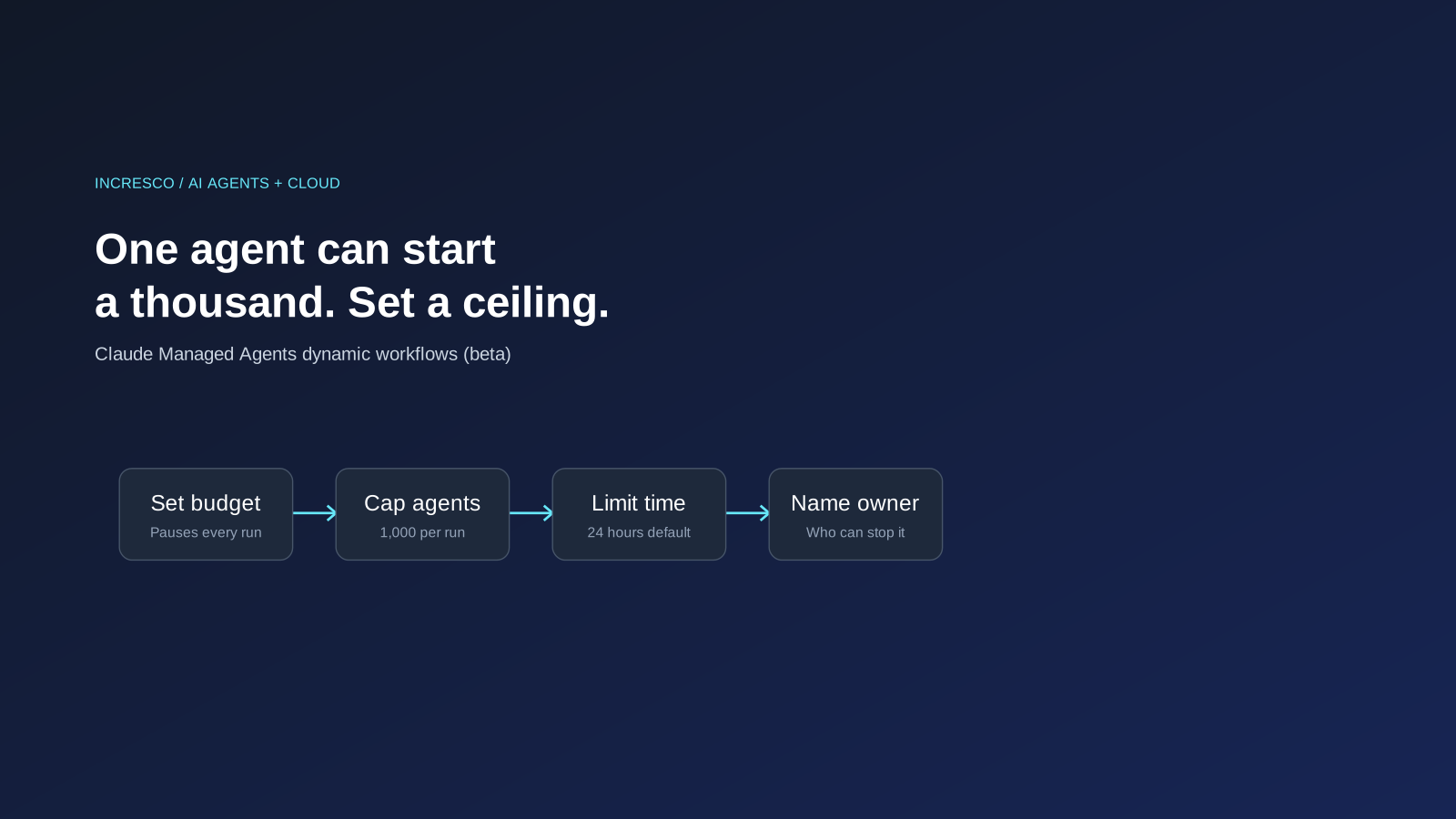
- Set the budget first. Choose a session budget that fits the task, and write down why you chose that number.
- Set a shorter run lifetime for tasks that should finish in minutes.
- List the tools each helper may call, and keep write and send actions behind a person.
- Name an owner who receives budget and timeout alerts and who can ask the agent to stop its runs.
- Test on a small set of documents, then raise the volume in steps and read the results at each step.
- Write down the stop rule: what result, error or cost makes the team pause the run.
The Rule to Adopt
Any AI agent that can start other agents gets a written ceiling before it gets access: a cost budget, a cap on agent count, a maximum lifetime, a list of the tools its helpers may call, and a named owner who can stop it.
How Incresco Helps
Incresco is a Claude partner. We build web and mobile applications, cloud systems, Salesforce solutions, WhatsApp experiences and AI agents. For multi-agent work, we map the task, decide what helpers may read and change, set the limits, and connect the alerts to a named owner. See our AI transformation, cloud and system integrations services.
Thinking about letting agents work in parallel? Contact Incresco and ask for a multi-agent readiness review. We will go through your task, the tools each helper would touch and the ceilings you need, and tell you what to fix first.
Related Articles
Business
Agentforce Memory: What Salesforce and WhatsApp AI Agents Should Remember
Salesforce's new Agentforce Memory engineering article explains persistent context. What should web, mobile and WhatsApp AI agents remember, refresh or forget?
Read Insight
Engineering
Agentforce Voice for Agent Script: What to Check Before Your Salesforce Agent Starts Talking
Salesforce says you can add voice to an Agent Script agent without a rewrite. See what your org needs first and how to write agent instructions for the ear.
Read Insight