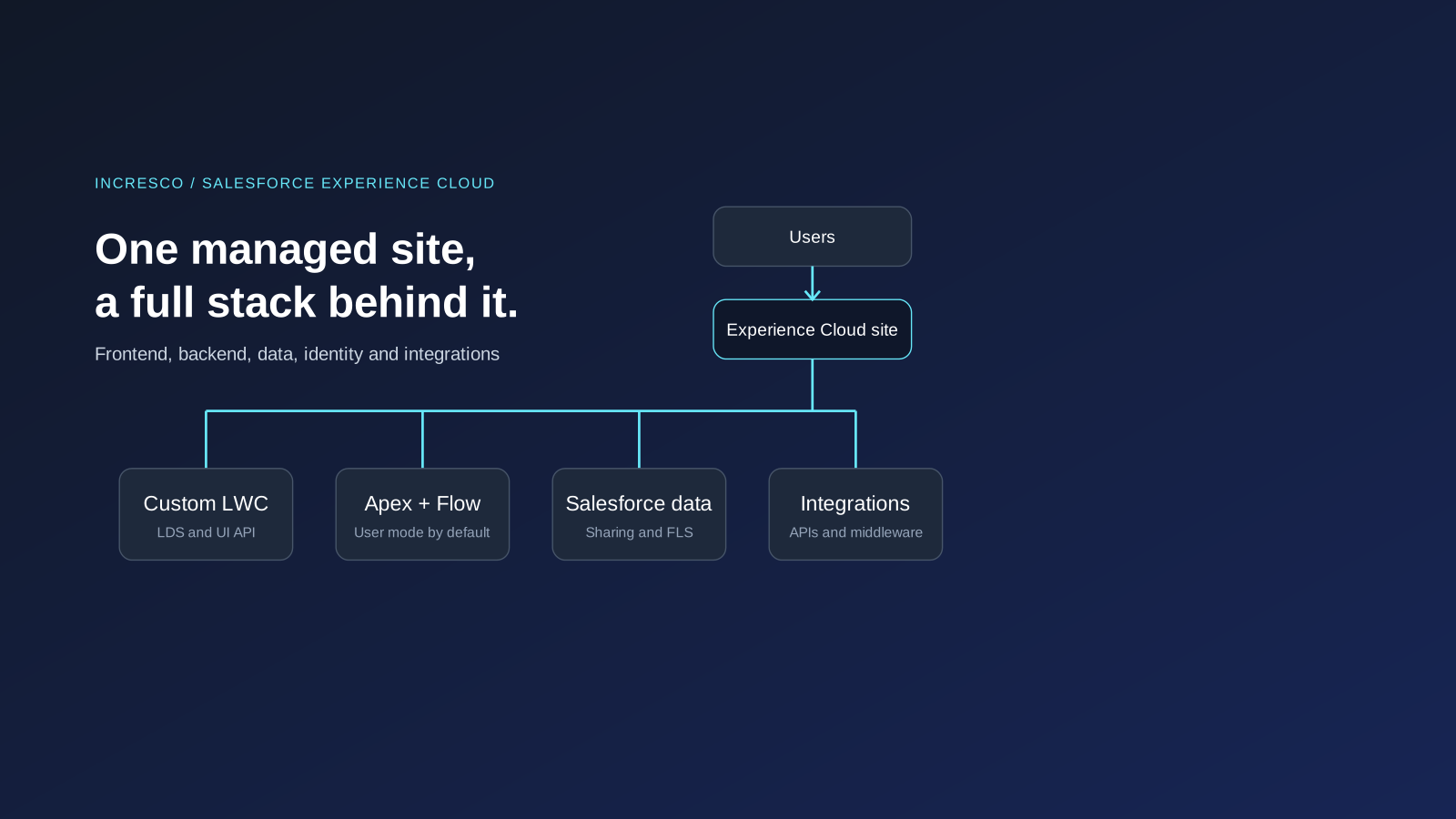
Blog Article
Salesforce Experience Cloud as a Full-Stack Platform
How Experience Cloud can power secure customer, partner, and employee apps with LWC, Apex, Flow, identity, commerce, Agentforce, and integrations.

Introduction
Modern web applications usually have a recognizable stack: frontend, backend, database, identity provider, hosting layer, jobs, search, observability, deployment, and integrations.
Salesforce offers a different path for a specific class of applications. With Experience Cloud, Lightning Web Components (LWC), Apex, Salesforce objects, Flow, identity, sharing, automation, and integrations, teams can build complete customer, partner, and employee-facing web applications on a single managed platform.
The key phrase is “specific class of applications.” Experience Cloud is strongest when the web app is connected to Salesforce data, workflows, users, and business processes. It is not a generic replacement for every custom web stack, but it can cover much more than a simple portal.
Experience Cloud can support product catalogs, commerce-style storefronts, partner onboarding, seller dashboards, booking portals, service requests, subscription dashboards, customer self-service, learning portals, case tracking, claims, application-status pages, and operational tools.
For large-scale consumer commerce, streaming, search-heavy catalogs, specialized transaction engines, or unusual infrastructure requirements, Salesforce may be one part of a broader architecture. Salesforce Commerce, including B2B and D2C Commerce storefronts built with Lightning Web Runtime (LWR), can also be part of the Experience Cloud story rather than a separate website. The decision depends on the required product, license, scale, data model, and integration pattern.
Architecture Overview
A full-stack application needs a user interface, server-side logic, data persistence, identity, access control, automation, integrations, deployment, and operations.
In a Salesforce-centered architecture, those responsibilities usually map like this. In the diagram, LDS means Lightning Data Service and UI API means User Interface API.
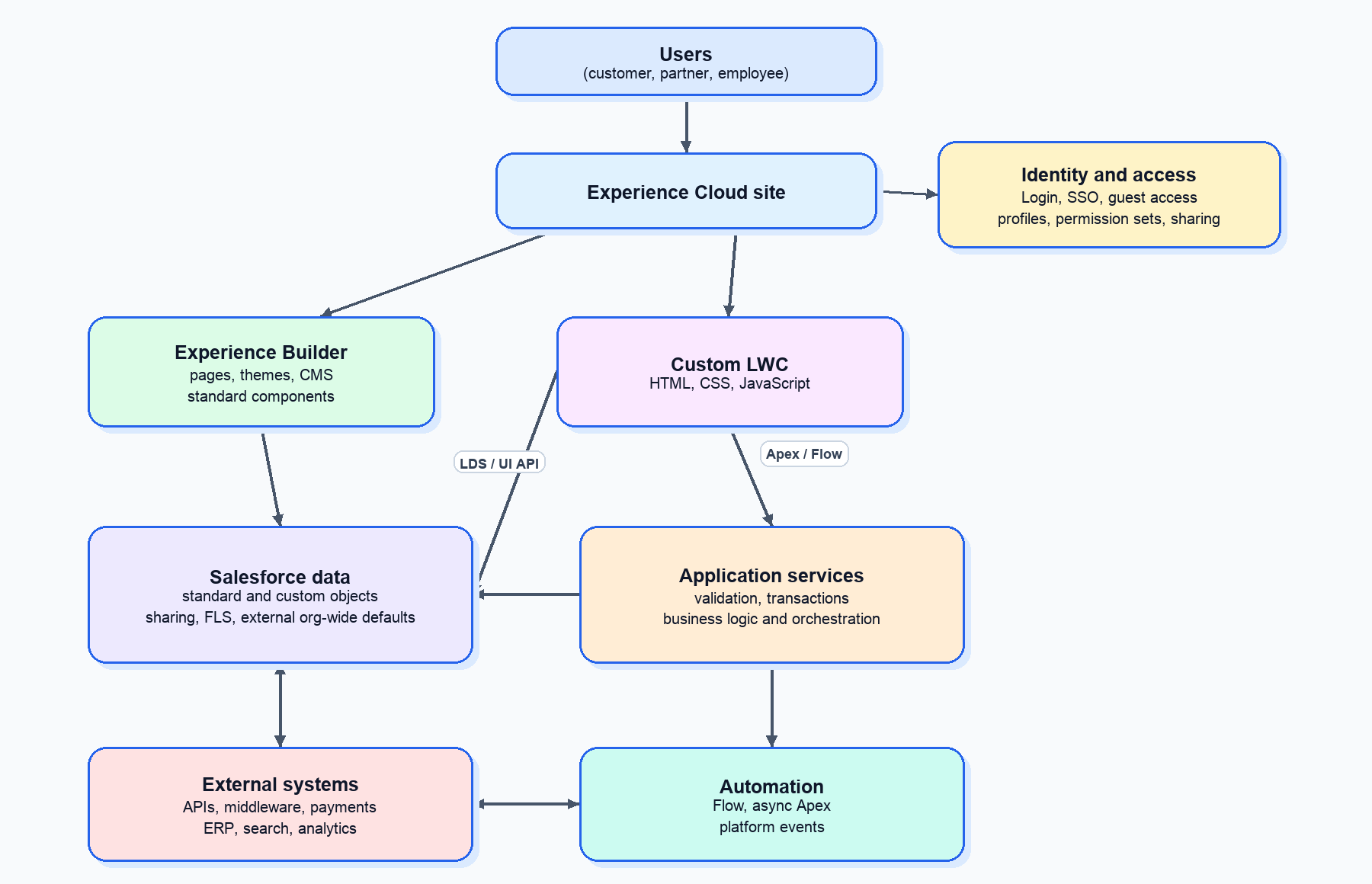
This is a logical architecture. Not every request goes through Apex or Flow. A record-focused page can use standard components, LDS, or UI API. A custom search or checkout experience may need LWC, Apex, Flow, platform events, Commerce APIs, or middleware.
The key architectural question is ownership: which layer owns presentation, validation, data access, authorization, integration, and operational responsibility?
Experience Cloud and LWR
Experience Cloud provides the web application surface. Depending on the template and use case, a site can include public pages, authenticated pages, partner experiences, customer self-service pages, CMS content, record pages, dashboards, custom flows, and custom components.
LWR sites are Experience Cloud sites powered by Lightning Web Runtime. They are not the same thing as a standalone Node.js LWR app. In Experience Cloud, LWR is the managed Salesforce runtime used by templates such as Build Your Own (LWR) and Microsite (LWR), and it supports custom experiences built with Lightning Web Components. LWR sites don’t support Aura components, so choose an Aura template when the site depends on custom Aura components or Aura-only capabilities.
Experience Builder lets admins and developers assemble site pages visually using templates and components. A strong Experience Cloud app usually combines declarative composition with custom components: use Experience Builder for structure, and use custom LWC where the interaction, data shape, or workflow needs custom behavior.
Lightning Web Components
Lightning Web Components are the custom frontend layer. LWC uses modern web standards, HTML templates, JavaScript modules, CSS, component properties, lifecycle hooks, events, and Salesforce-specific modules.
In an Experience Cloud application, LWC can handle product cards, listing grids, search filters, result pages, forms, status panels, partner dashboards, data tables, record summaries, custom navigation, layout components, and reusable workflow widgets.
For data access, use LDS and UI API where they fit, especially for record-oriented UI that should respect Salesforce metadata and security behavior. Use Apex for custom queries, aggregation, business rules, orchestration, external callouts, or a service layer that hides implementation details from the browser.
A product catalog component might display product names, descriptions, images, and prices while handling loading and error states. In production, it also needs accessibility, pagination, caching, testing, and an authoritative backend for pricing and availability.
The frontend owns presentation and user interaction. It should not own database credentials, authorization policy, authoritative price validation, inventory checks, or final business decisions.
Apex and Flow
Apex is Salesforce’s server-side programming language. It is strongly typed, object-oriented, and designed to run business logic on the Salesforce Platform. Apex can query data with SOQL, modify data with DML, expose methods to Lightning components, run asynchronous jobs, define REST endpoints, and make HTTP callouts.
In an Experience Cloud application, Apex commonly acts as the service layer:
- Read and shape data for custom UI.
- Validate business rules before writes.
- Coordinate multi-record transactions.
- Protect sensitive operations from direct client control.
- Call payment, shipping, ERP, tax, or search services.
- Publish platform events or enqueue asynchronous processing.
- Provide custom REST endpoints where appropriate.
Flow complements Apex. Use Flow when the process is understandable as decisions and actions, when admins need ownership, and when the automation fits supported Flow capabilities. Use Apex when logic must be bulkified, reusable, transaction-aware, integration-heavy, or centrally tested.
The strongest architecture often uses both. Flow orchestrates business process. Apex handles specialized logic. Queueable Apex, future methods, platform events, or middleware decouple long-running work from a user request.
Apex Security: User Mode Is Now the Default
Starting with API version 67.0, released with Summer ‘26, Apex security defaults changed in important ways.
- Apex database operations, including SOQL, SOSL, DML, and
Databasemethods, run in user mode by default. They enforce the running user’s object permissions, field-level security (FLS), and record-sharing rules unless the operation is explicitly put in system mode. - Classes without a sharing keyword run in the current user context. Salesforce still recommends explicit
with sharing,without sharing, orinherited sharingdeclarations for maintainability. - In API version 67.0 and later,
WITH SECURITY_ENFORCEDis no longer allowed in SOQL in Apex. Code using it at that API version does not compile. UseWITH USER_MODEinstead. - In API version 66.0 and earlier, Apex database operations default to system mode, so developers must deliberately enforce object permissions and FLS where required.
This is a versioned behavior change. It does not mean every Apex path has identical security behavior. Class sharing, operation access mode, triggers, guest users, permission sets, and Apex class access still need deliberate review.
For Experience Cloud code:
- Set sharing declarations deliberately.
- Use
WITH USER_MODE,WITH SYSTEM_MODE, and access-level options for database methods where intent should be unambiguous. - Prefer LDS or UI API for standard record UI when they fit.
- Treat every
@AuraEnabledmethod like a service endpoint. - Grant Apex class access only to profiles or permission sets that need it.
- Test authenticated-user and guest-user access separately.
Client-side checks improve usability. They are not a security boundary.
Salesforce Data and Commerce
In a traditional app, teams often model data in PostgreSQL, MySQL, MongoDB, DynamoDB, or another database. In Salesforce, many business applications can model core data with standard and custom objects.
For a commerce-style application, a simplified model might include:
| Salesforce object | Purpose |
|---|---|
| Account | Customer, household, vendor, or business account |
| Contact | Individual associated with an account |
| Product2 | Product records and catalog attributes |
| PricebookEntry | Price for a product in a price book |
| Order and OrderItem | Order header and line items, depending on the selected order model |
| Custom objects | Cart, booking, application, entitlement, or domain-specific workflow records |
Some simplified catalog models use Product2 plus a custom Price__c field to keep the concept easy to follow. That is not a complete commerce implementation. A real solution must decide how prices are selected and validated, how stock and reservations work, how tax and shipping are calculated, how checkout and payments are handled, and how orders reach fulfillment.
Those capabilities may come from Salesforce Commerce, custom Salesforce logic, or integrated services. B2B and D2C Commerce stores can be created with LWR templates and customized with commerce LWCs and Storefront APIs, so commerce may be native to the Experience Cloud implementation rather than an unrelated external layer.
Use Data 360, formerly Data Cloud, when the application needs unified customer profiles, ingestion, harmonization, activation, or data-driven personalization across sources. As of October 14, 2025, Salesforce rebranded Data Cloud to Data 360; older docs and product screens can still contain the Data Cloud name during the transition.
The trade-off is that Salesforce is not an unrestricted database engine. Architects must account for storage, governor limits, query selectivity, large data volumes, ownership and sharing complexity, external-user licensing, API limits, search, transaction boundaries, and compliance.
Identity and Authorization
A serious web application must answer two separate questions:
- Who is this user?
- What is this user allowed to do?
Experience Cloud supports external users and can work with Salesforce identity and supported single sign-on. Once users are authenticated, Salesforce authorization controls decide what they can access.
Those controls can include profiles, permission sets, object permissions, FLS, record-level sharing, sharing sets, sharing rules, external organization-wide defaults, share groups, super user access, restriction rules, Apex class access, Flow access, and server-side checks in Apex.
Sharing design depends heavily on the external-user license:
- Customer Community and other high-volume, non-role-based models often rely on sharing sets and share groups.
- Customer Community Plus and Partner Community users use roles and standard sharing features such as sharing rules, role hierarchy, and external account hierarchy.
- External organization-wide defaults help set stricter default access for authenticated external users than for internal users.
- Guest users are not external authenticated users. Guest-user access must be designed separately and treated as public access.
For public or mixed public/authenticated sites, grant the minimum access required, avoid broad guest-user object permissions, restrict @AuraEnabled access, validate all user input, and avoid passing sensitive fields to the browser.
Integrations
Most full-stack applications need to talk to payment gateways, tax services, ERP systems, fulfillment systems, document platforms, analytics tools, marketing systems, or custom APIs.
Common Salesforce integration patterns include:
- Apex callouts for request-reply integrations when the user or transaction can safely wait.
- Queueable Apex or future methods for asynchronous callouts that should not block the user path.
- Named Credentials and External Credentials for supported endpoint and authentication configuration.
- Salesforce APIs for external systems calling into Salesforce.
- Platform events and Change Data Capture for event-driven integration.
- Bulk API 2.0 for large data movement.
- Middleware for orchestration, transformation, retries, monitoring, and cross-system reliability.
- Data virtualization patterns such as Salesforce Connect where appropriate.
For simple interactions, Apex callouts may be enough. For complex orchestration, especially where retries, sequencing, transformation, or cross-system reliability matters, middleware is often the cleaner boundary.
Agentforce in Experience Cloud
Today, most Experience Cloud designs should at least evaluate Agentforce. Experience Cloud sites can add Agentforce Service agents through Enhanced Chat, Salesforce’s current messaging channel formerly known as Messaging for In-App and Web, and can use Agentforce Orchestrator for AI-driven self-service patterns where those features are licensed and configured.
This does not make Agentforce automatic. It adds architecture questions:
- Which users are anonymous, verified, or authenticated?
- Which user or agent identity accesses Salesforce data?
- What actions can the agent invoke?
- Which data comes from Knowledge, CRM records, Data 360, or external systems?
- How are conversations tested, monitored, and escalated?
- What licensing and consumption model applies?
For customer self-service, Agentforce can be a valuable layer on top of Experience Cloud, but it needs the same access-control discipline as Apex, Flow, and LWC.
Deployment and Lifecycle
Experience Cloud applications still need proper software delivery. Salesforce manages hosting infrastructure, but teams remain responsible for release safety, access configuration, tests, monitoring, and rollback planning.
A healthy delivery model includes source control, Salesforce CLI, sandboxes or scratch orgs, metadata deployment, Apex tests, LWC tests where useful, permission and sharing validation, site publication checks, environment-specific configuration, smoke tests, and monitoring for integration failures and async jobs.
Experience Cloud metadata also needs special care. Depending on the site type and template, deployment can involve ExperienceBundle, DigitalExperienceBundle or DigitalExperience metadata, Network, CustomSite, CMS content, commerce metadata, permission sets, Apex, LWC, and supporting objects. LWR sites use source-friendly metadata, but not every site setting or operational dependency is captured automatically. Always validate in a sandbox before production.
Traditional Stack to Salesforce Map
| Concern | Traditional stack | Salesforce-centered approach |
|---|---|---|
| Site shell and routing | Web framework or frontend router | Experience Cloud, Experience Builder, LWR |
| Custom frontend | React, Angular, Vue | Lightning Web Components |
| Design system | CSS framework or custom design system | Salesforce Lightning Design System (SLDS), base components, custom CSS |
| Backend services | Node.js, Java, .NET, Python | Apex, Flow, Invocable Actions, REST resources |
| Database | PostgreSQL, MySQL, MongoDB | Standard and custom objects, SOQL, DML |
| Record UI data access | Custom API and ORM | LDS, UI API |
| Business automation | Jobs, workers, workflow engines | Flow, Apex, async Apex, platform events |
| Authentication | Identity provider and middleware | Salesforce identity and external-user authentication |
| Authorization | App policies and database permissions | Profiles, permission sets, sharing, FLS, Apex checks |
| Integrations | HTTP clients, queues, middleware | Apex callouts, Salesforce APIs, events, middleware |
| Deployment | CI/CD to cloud runtime | Metadata deployment, Salesforce CLI, DevOps tools |
| Hosting | Cloud infrastructure | Salesforce-managed platform hosting |
This map is a guide to responsibilities, not a one-to-one equivalence chart. Use the platform where it fits the workload, security model, cost model, and operational needs.
When Experience Cloud Is a Strong Fit
Experience Cloud is a strong candidate when the application:
- Serves customers, partners, members, vendors, students, or employees.
- Needs secure access to Salesforce records and workflows.
- Benefits from Salesforce identity, sharing, reporting, and automation.
- Has business processes already in Salesforce.
- Needs a mix of declarative pages and custom components.
- Requires CRM-connected self-service or collaboration.
- Fits Salesforce governor limits, data volumes, response-time needs, and external-user licensing.
Examples include customer service portals, partner deal registration, warranty claims, application intake, course enrollment, account management, case tracking, B2B ordering, vendor onboarding, and field-service support.
When a Hybrid Stack May Be Better
A separate or hybrid architecture may be better when the application requires:
- Extremely high-volume anonymous traffic with an incompatible cost model.
- Very large product catalogs with advanced search, ranking, and merchandising.
- High-throughput transactions, low-latency collaboration, or streaming workloads.
- Specialized compute or direct control over runtime infrastructure.
- Unusual database access patterns or large data volumes that are hard to serve within platform limits.
- Heavy analytical workloads better handled by a dedicated data platform.
- Guest-user access that cannot safely fit Salesforce’s access model.
- Complex cross-system orchestration that belongs in middleware or a dedicated backend.
In those cases, Experience Cloud can still play a role. It may be the authenticated portal, account center, case management surface, or business workflow layer, while another platform owns search, checkout, streaming, or specialized processing.
Practical Build Strategy
Before committing to an Experience Cloud architecture, answer these questions:
- Who are the users: customers, partners, guests, employees, or a mix?
- Which data must live in Salesforce, and which data should stay external?
- Which pages can use standard components, and which need custom LWC?
- Which operations require Apex instead of LDS or UI API?
- What should be handled by Flow, Apex, async processing, Agentforce, or middleware?
- What is the guest-user access model?
- What are the expected volumes for users, records, transactions, files, and API calls?
- Which licenses and products are required?
- How will the site be deployed, tested, published, and monitored?
- What would make Salesforce the wrong owner for part of the architecture?
For an MVP, keep the shape simple: use Experience Builder for the site shell, standard components where they fit, LWC for custom interaction, LDS or UI API for standard record access, Apex for service-layer behavior, Flow for admin-owned orchestration, platform events or async Apex for background work, and middleware when cross-system orchestration becomes serious.
Then harden the implementation. Review profiles, permission sets, sharing, external organization-wide defaults, and FLS. Test guest and authenticated access separately. Add Apex tests around service behavior. Validate query selectivity and API limits. Document integration ownership and rollback steps.
Frequently Asked Questions
Can Experience Cloud Replace a Custom Web Stack?
For Salesforce-connected business applications, often yes. For specialized consumer-scale, streaming, search-heavy, or infrastructure-heavy systems, it is usually better as part of a hybrid architecture.
Do All Custom Experience Cloud Pages Need Apex?
No. Standard components, LDS, and UI API can serve many record-oriented experiences. Use Apex when you need custom business logic, aggregation, orchestration, or integration.
Is Experience Cloud the Same as Commerce Cloud?
No. But Salesforce Commerce storefronts, including B2B and D2C Commerce stores, can use LWR and Experience Cloud capabilities. Commerce is a product capability; Experience Cloud can be the storefront experience layer.
Should Every Experience Cloud Project Include Agentforce?
Not automatically. Agentforce is worth evaluating for self-service, guided support, search, and personalized assistance, but it must be designed with identity, permissions, data access, testing, and licensing in mind.
Conclusion
Experience Cloud can act as a managed full-stack application platform for the right kind of Salesforce-connected application. Experience Builder provides the site foundation. LWC provides custom frontend interaction. Apex and Flow provide backend logic and orchestration. Salesforce objects provide the data model. Identity, permissions, sharing, and FLS provide the access-control foundation. APIs, callouts, events, Commerce, Agentforce, Data 360, and middleware connect the experience to the rest of the enterprise.
The best designs use Salesforce where Salesforce is strong: secure business workflows, CRM-connected data, external-user experiences, automation, self-service, and enterprise process integration. They use external systems where those systems are stronger.
Rule to Adopt
Settle the access model before you build the first page. Decide who the external users are, which licence they hold, and what each profile, permission set, sharing rule, and field lets them see. Build and test pages against that model, not the other way round, and test guest and authenticated users separately. This matters more now that API 67.0 runs database operations in user mode by default.
How Incresco Helps
Incresco helps teams decide whether Experience Cloud should be the whole stack or one part of a hybrid one, then design and build it: architecture and data model, access and sharing design, LWC, Apex, integrations, Agentforce, deployment, and production readiness.
A good first step is an Experience Cloud architecture and security review. It covers fit for your use case, the identity and sharing model, API 67.0 readiness, and integration limits. Ask for an Experience Cloud architecture and security review.
Related Articles
Engineering
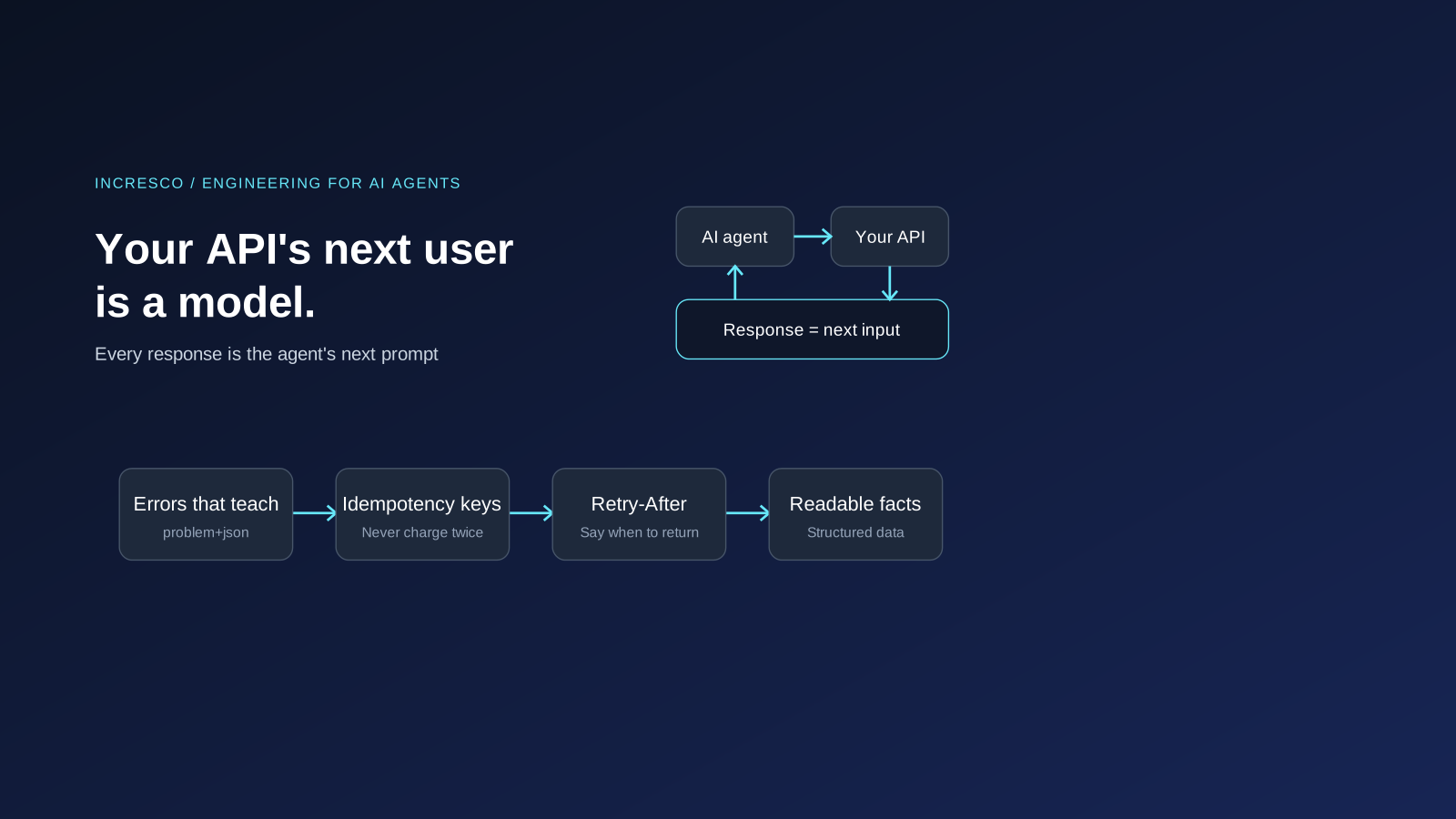
Your API's Next User Is a Model: Agent Experience (AX) for Engineers
AI agents call your API and treat each response as their next prompt. Engineering for them: clear errors, idempotency keys, rate limits and MCP tools.
Read Insight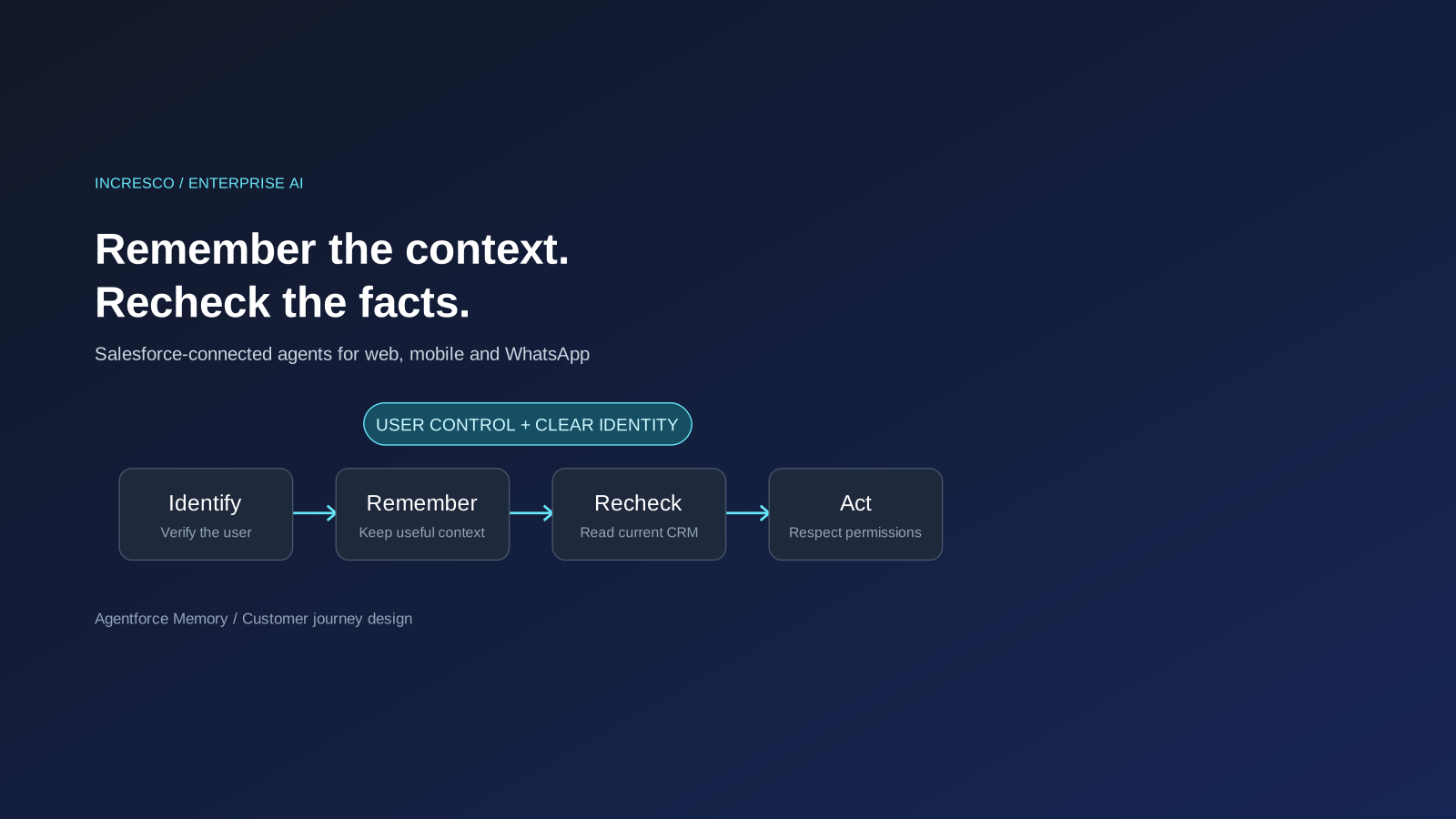
Business
Agentforce Memory: What Salesforce and WhatsApp AI Agents Should Remember
Salesforce's new Agentforce Memory engineering article explains persistent context. What should web, mobile and WhatsApp AI agents remember, refresh or forget?
Read Insight