Blog Article
PHP2Shell: A Patch Plan for Two Critical PHP Vulnerabilities
Two critical PHP flaws allow code execution without a login. What PHP fixed, how to check and patch every PHP runtime, and why the patch window shrank.

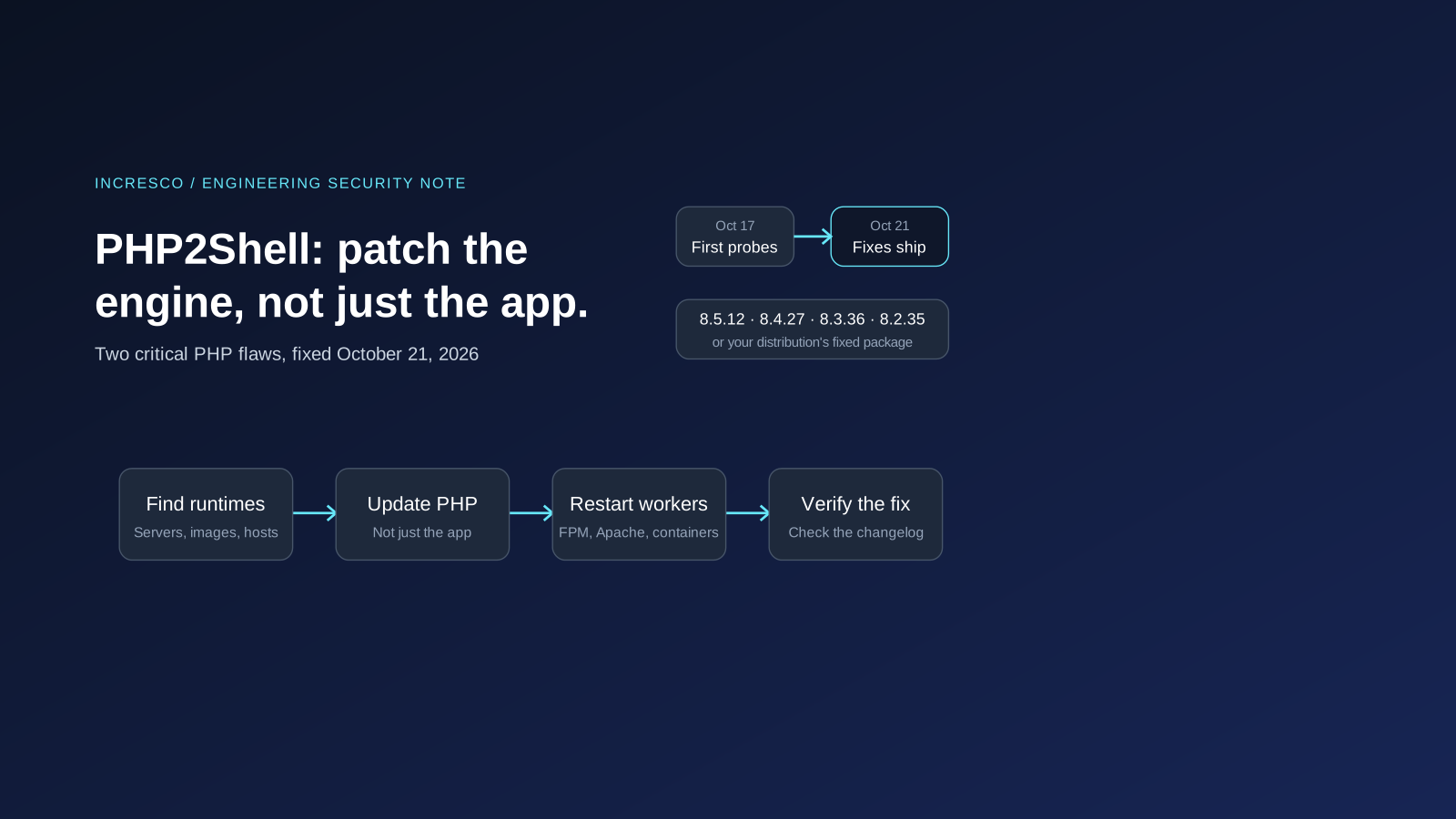
If your website, shop or web application runs on PHP, there is an update to install today, and it is not the usual kind. On October 21, 2026, the PHP project released fixes for two critical vulnerabilities that can let an attacker run code on your server without logging in. Researchers have nicknamed them PHP2Shell. Nearly every PHP version from the last decade is affected, and attackers started probing for them before the fix was even public.
This post explains what PHP fixed, how to check and patch every place PHP runs, what to do if you cannot update today, and what this incident says about how fast patches now have to move. The facts below are as published by October 22, 2026. This is a fast-moving story, so check the official advisory for anything newer.
What Did PHP Fix?
The PHP security advisory covers two vulnerabilities, both rated 9.2 out of 10 (CVSS v4.0) and both described as allowing unauthenticated remote code execution.
| Vulnerability | What goes wrong, in PHP’s words | Confirmed impact |
|---|---|---|
| CVE-2026-109618, “RCE via OOM corruption" | "out-of-memory handling can interrupt PHP while internal request data is only partially initialized. Request cleanup may then treat the invalid data as valid.” | Remote code execution as the web server’s PHP account |
| CVE-2026-109619, “RCE via stale global state" | "request-owned internal state can survive after its backing memory has been freed. A later request handled by the same worker may use that stale state before normal initialization resets it.” | Memory disclosure and remote code execution |
The fixed releases are PHP 8.5.12, 8.4.27, 8.3.36 and 8.2.35. PHP says the risk applies to “all PHP installations serving web requests, including PHP-FPM, Apache with mod_php, php-cgi, FrankenPHP and LiteSpeed,” and is highest for Apache with mod_php, where “an unauthenticated request can trigger the attack before any application code runs.”
That last point matters for business owners. This is a flaw in the PHP engine, not in your code. A clean, well-maintained WordPress, Laravel, Drupal or Magento site is still affected if the PHP underneath it is not patched.
How Did It Unfold?
| When (2026) | What happened |
|---|---|
| August to September | Researchers at Calif, OpenAI and Wiz found the flaws. All three have said they used AI models, according to The Register. |
| October 17 | Amazon saw the first exploitation attempt against a honeypot while the flaws were still secret, according to SecurityWeek. |
| October 20 | CVE numbers circulated online. PHP posted an advance notice and moved the release forward by one day. |
| October 21, 07:41 UTC | Chainguard published built images containing the fix, more than six hours before the official release. PHP says this broke the embargo. Chainguard says it acted because people were already being attacked. |
| October 21, 14:00 UTC | PHP released the fixes. The US agency CISA published an alert the same day. |
The PHP Foundation was frank about why the fix took time. Signs of the memory problem were first found during a 2024 external audit, but no working attack was found then, and the Foundation calls the delay that followed “a structural failure, caused by both the security team’s decision process and its lack of resources.” It has since added staff and tooling and changed how the security team makes decisions.
Is it being exploited? Attempts, yes. By October 22, SecurityWeek reported that Amazon considers PHP2Shell “broadly exploited in the wild,” and Cloudflare’s CEO reported millions of attempts across its network. At the same time, watchTowr said none of the circulating proof-of-concept exploits had achieved code execution on its sensors, and CISA’s alert said it had not observed exploitation at the time of publication. Treat it as under active attack, and patch accordingly.
Am I Affected?
Assume yes until you have checked. Censys counted about 2.58 million internet-facing PHP hosts on October 21, of which about 1.57 million were not yet patched, according to SecurityWeek.
Start by listing every place PHP runs, not just your main website. CISA’s alert makes the same point: PHP “is often a component of other software,” so you may run it without knowing.
- Your own servers and virtual machines, where PHP comes from your Linux distribution or a third-party repository.
- Containers, where PHP comes from the base image your Dockerfile starts from.
- Managed hosting and platforms, where your provider controls the PHP version.
- Software that ships with PHP inside it, such as admin panels, intranet tools and appliances.
- Old systems nobody owns, such as a forgotten microsite or a staging server left online.
The Patch Steps People Get Wrong
1. Updating your application does not update PHP. Running a WordPress, Laravel or Composer update changes your code, not the PHP engine. The fix has to come from the server package, the container image or your hosting provider.
2. The version number can mislead you. Linux distributions backport fixes into older-looking versions. On Ubuntu 24.04, for example, the fix arrived in package php8.3 version 8.3.6-0ubuntu0.24.04.13, which still reports PHP 8.3.6. On Debian 12, it is php8.2 version 8.2.35-1~deb12u1. Check the package changelog for the CVE number instead of trusting the version string. Sansec suggests commands like these:
# Debian and Ubuntu (replace 8.3 with your PHP version)
zgrep CVE-2026-109618 /usr/share/doc/php8.3-common/changelog.Debian.gz

# RHEL, AlmaLinux and Rocky Linux
rpm -q --changelog php-common | grep CVE-2026-109618
A match means the fixed package is installed.
3. Installed is not the same as running. A running PHP-FPM pool or Apache process keeps the old code in memory until it restarts. Restart every PHP process after updating, then check the version that actually serves requests, not only the command-line php:
sudo systemctl restart php8.3-fpm   # Debian/Ubuntu PHP-FPM service name
sudo systemctl restart apache2      # Apache with mod_php (httpd on RHEL-family systems)

php -v          # the command-line PHP
php-fpm8.3 -v   # the PHP-FPM binary that serves web requests
4. Containers need a rebuild and a redeploy. A Dockerfile that starts from a PHP base image only gets the fix when you rebuild from an updated base image and deploy the new image. Check the running container, not the Dockerfile:
docker exec <container> php -v5. PHP 8.1 and older get no official release. The PHP project no longer updates them. It published minimal source patches for 7.4, 8.0 and 8.1 for people who build PHP themselves, and some distributions carry their own fixes. Ubuntu 22.04, for example, ships a fixed php8.1 package. CISA goes further: organizations that cannot update, or that still run PHP 8.1 or older, should take PHP-based systems offline until they are patched. PHP 8.2 itself reaches end of life on December 31, 2026, so plan that upgrade now too.
6. The fix changes how memory limits behave. According to PHP’s advisory, the patch replaces the old out-of-memory handling with a graceful stop at the next safe point, plus an immediate hard stop if memory use reaches a second, higher threshold. A request that hits the hard stop ends the process without running shutdown handlers. Check that your memory_limit and post_max_size still fit what your application really needs.
If You Cannot Update Today
PHP is clear that “only an update is a complete solution.” Its advisory lists measures that reduce exposure to the known attack paths, but it says they “do not make an installation safe.” In short:
; Apply in php.ini, the FPM pool or the server configuration, then restart every worker.
; Do not rely on ini_set() or .user.ini for these.
memory_limit = -1
post_max_size = 8M        ; 32M if your application needs file uploads
upload_max_filesize = 2M  ; keep below post_max_size
session.upload_progress.enabled = 0- On PHP 8.5, also set
fatal_error_backtraces=0and restart every worker. - Enforce request limits at the web server or proxy, including body size, field count and multipart part count. Sansec reports that all known attacks use
multipart/form-datarequests. If your application does not accept multipart forms, block them in front of PHP. If it does, test uploads and checkout after any change. - Do not use
RLIMIT_ASorRLIMIT_DATAas a memory limit. PHP warns they can trigger the vulnerable path. - A web application firewall helps, but only partly. CISA says a WAF “may provide some protection,” and attackers have been changing payloads to get past firewall rules.
- Hiding errors does not help. PHP’s advisory notes that
error_reporting,display_errorsand@do not protect against this.
Then update as soon as you can. These are stopgaps, not fixes.
Signs a Server May Already Be Compromised
Patching closes the door, but it does not tell you whether someone got in first. Look back over the days before you patched, starting from October 17. The researchers and agencies tracking PHP2Shell point to the first four signals below. The last is the usual sign of any web compromise:
- PHP worker processes starting shells or downloading tools, which CISA lists as a key thing to monitor.
- Unusual
multipart/form-datarequests to PHP endpoints, especially followed by memory-limit errors. - Repeated HTTP 500 responses and unexplained PHP worker restarts.
- Oversized
PHPSESSIDcookies in responses. Sansec warns that the memory disclosure can leak data through this cookie. - New or changed PHP files in upload, cache or web root folders, the classic sign of a web shell.
If an internet-facing server ran a vulnerable version, it is prudent to treat secrets the PHP process could read as exposed: database passwords, API keys and tokens in environment files. Rotate them after patching, starting with the most sensitive.
Why the Patch Window Has Shrunk
The most important lesson of PHP2Shell is not about PHP. These bugs had been in the code for more than a decade. AI models helped three research teams find them, and Chainguard says its own team found the same bugs in one night using an AI tool. The PHP Foundation put it plainly: “Tools now find bugs faster than ever, for defenders and attackers alike.”
When finding and weaponizing a bug takes hours instead of months, the time between a fix and an attack shrinks with it. In this case, the first attempts came before the fix. For engineering teams, that turns patching from an occasional chore into a system you need to have working before the next notice:
- Inventory runtimes, not just libraries.
composer.jsonsays which PHP versions your code accepts, not which PHP your servers run. Keep a list of every runtime, base image and host, with an owner. - Make base-image updates automatic. Rebuild and redeploy container images when the base image changes, instead of when someone remembers.
- Be able to push a config change to every server in minutes. When the only option for a few hours was a
php.inichange, teams with central configuration applied it quickly. Teams that edit servers by hand did not. - Track end-of-life dates. Runtimes past end of life wait for someone else’s backport, or get none. PHP 8.2’s end of life is on December 31, 2026.
- Watch the signals that matter. Alerts on worker crashes, memory-limit errors and 500 spikes would have flagged these attacks early.
A Short Checklist for This Update
- List every place PHP runs, including containers, hosting and software with PHP inside it.
- Update PHP to 8.5.12, 8.4.27, 8.3.36 or 8.2.35, or install your distribution’s fixed package.
- Confirm the fix by searching the package changelog for the CVE numbers.
- Restart every PHP process, then check the version that serves requests.
- Rebuild and redeploy containers from an updated base image.
- Apply PHP’s temporary measures anywhere you cannot update today, and plan the update.
- Plan to leave PHP 8.1 and older, and put the PHP 8.2 upgrade before December 31, 2026 on the calendar.
- Check for signs of compromise from October 17 onward, and rotate secrets on servers that were exposed.
- Name an owner for every PHP runtime, so the next notice reaches a person.
The Rule to Adopt
Every runtime your business depends on, PHP included, needs a named owner, an up-to-date inventory and a way to patch every instance within a day, because the next critical flaw may be found by AI and attacked before the fix ships.
How Incresco Helps
Incresco is a Claude partner. We build web and mobile applications, cloud systems, Salesforce solutions, WhatsApp experiences and AI agents, and we build and maintain PHP and Laravel applications. For teams affected by PHP2Shell, we help find every PHP runtime, patch and verify it, check for signs of compromise, and set up the inventory and automation that make the next patch routine. See our custom platform development and cloud services.
Not sure which PHP version your website runs, or who looks after the server? Contact Incresco and ask for a PHP patch review. We will check what you run today, tell you what to update first, and help you close the gap.
Frequently Asked Questions
What Is PHP2Shell?
PHP2Shell is the nickname for two critical PHP vulnerabilities, CVE-2026-109618 and CVE-2026-109619, fixed on October 21, 2026. Both can allow an attacker to run code on a server without logging in.
Which PHP Versions Fix PHP2Shell?
PHP 8.5.12, 8.4.27, 8.3.36 and 8.2.35. Linux distributions also ship fixed packages, which may show an older version number, so check the package changelog for the CVE numbers.
Does Updating WordPress or Laravel Fix It?
No. The flaws are in the PHP engine. You need to update PHP itself through your server packages, container image or hosting provider, then restart every PHP process.
What If I Cannot Update Right Away?
PHP’s advisory lists temporary settings, such as disabling session upload progress and changing memory and request-size limits. They reduce exposure but do not make a server safe. CISA advises taking systems offline if they cannot be updated.
Related Articles
Engineering
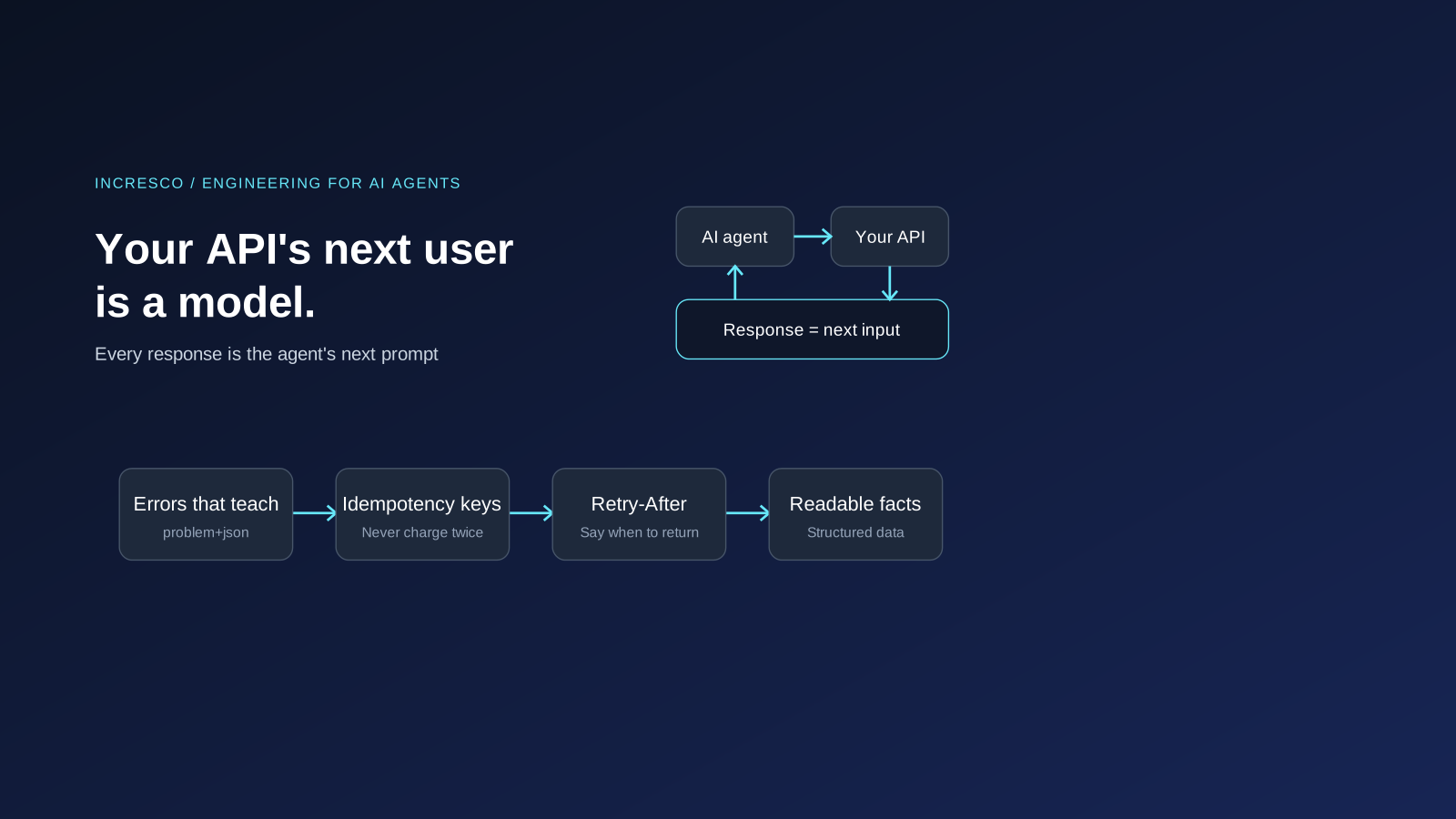
Your API's Next User Is a Model: Agent Experience (AX) for Engineers
AI agents call your API and treat each response as their next prompt. Engineering for them: clear errors, idempotency keys, rate limits and MCP tools.
Read Insight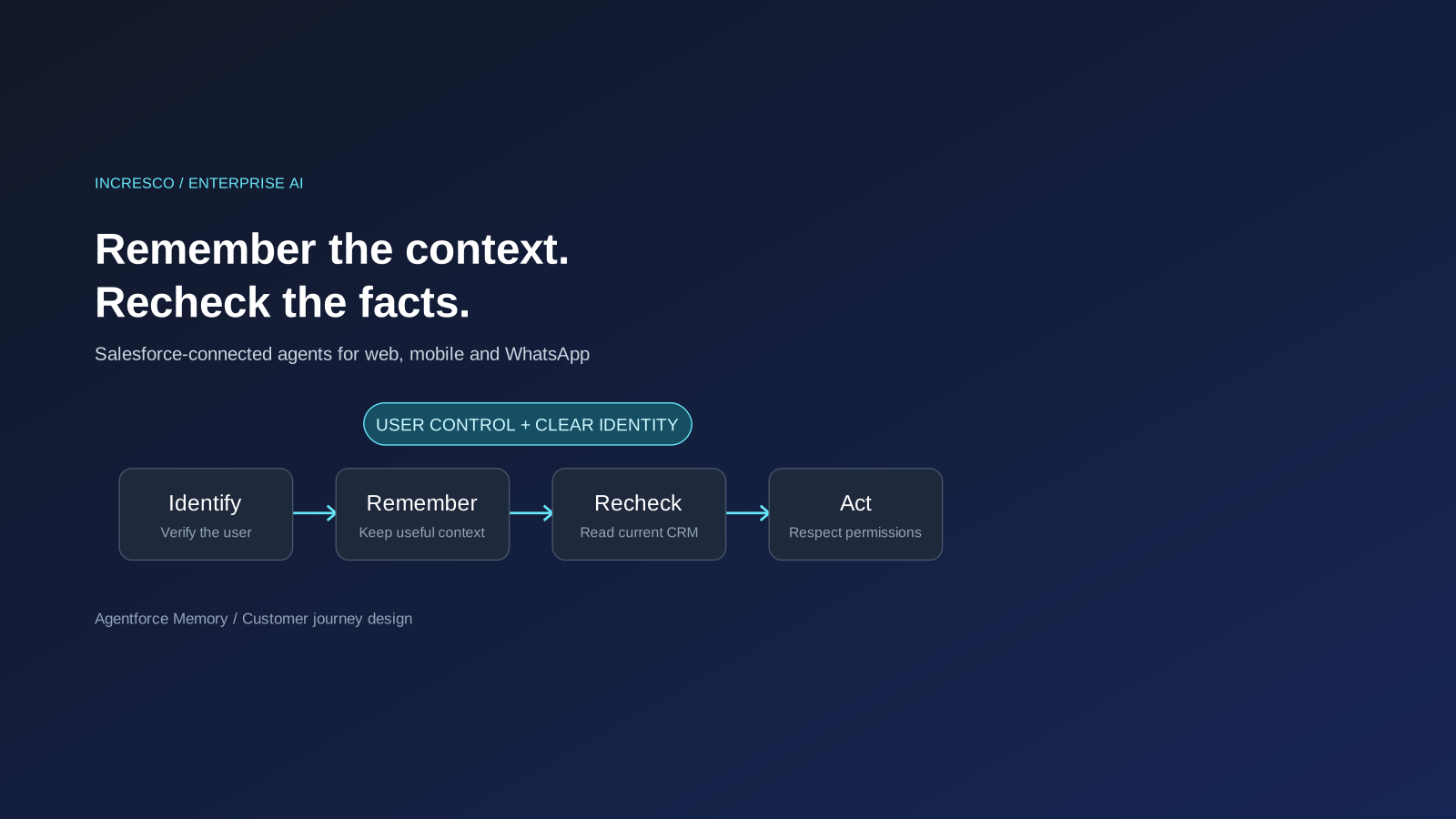
Business
Agentforce Memory: What Salesforce and WhatsApp AI Agents Should Remember
Salesforce's new Agentforce Memory engineering article explains persistent context. What should web, mobile and WhatsApp AI agents remember, refresh or forget?
Read Insight