Blog Article
Move Your Existing Website to Storyblok at a Fixed Cost: What a Fixed-Scope Migration Covers
Move your existing website to Storyblok at a fixed cost, with reusable components and AI tools so marketing can run it. See what a fixed-scope migration covers and what to ask before you sign.

Many companies know their website is hard to change. Every edit needs a developer, pages look different from one another, and nobody is sure what is on the site. The next worry is the move itself: a replatforming project that runs over budget and loses search traffic on the way.
This guide explains how to move an existing website to Storyblok, a headless CMS, as a fixed-scope project with a fixed cost. It describes why this works better than an open-ended relaunch, what the scope must cover, and what to ask before you sign. Product facts come from Storyblok’s documentation. The recommendations are ours.
Why a Fixed-Cost Migration Beats an Open-Ended Relaunch
An open-ended relaunch mixes three jobs: moving the content, redesigning the site and adding new features. Each one can grow without a limit, so the budget and the date grow with them.
A migration is a narrower job. The site you have today defines most of the work: its pages, its content types, its images and its URLs. That makes the scope something you can inventory, write down and price once. The cost stays fixed as long as the scope stays fixed. New requests go through a change process you agree in writing, so a new request is a decision, not a surprise.
A fixed cost also helps your search traffic. Google’s site move documentation advises changing one thing at a time. Its example is that you should not move to a new domain, change your CMS and update your layout all at once. A migration that keeps the design and structure stable gives you one change to monitor, and a ranking drop is easier to explain.
What Is Storyblok?
Storyblok is a headless CMS. Per its documentation, content is structured as fields, blocks and stories. Fields are single inputs, blocks are configurable content elements and stories are complete entries. Your website or app reads that content through an API, and editors work in a Visual Editor that shows a preview of the page next to the editing form. The preview can be switched between desktop, mobile and full-width views.
For a business, the practical meaning is that the same structured content can feed your website, your mobile app and other channels. Whether that suits you depends on your content and your team, so test it on your own pages.
Reusable Components: Developers Set Up Once, Marketing Runs It From There
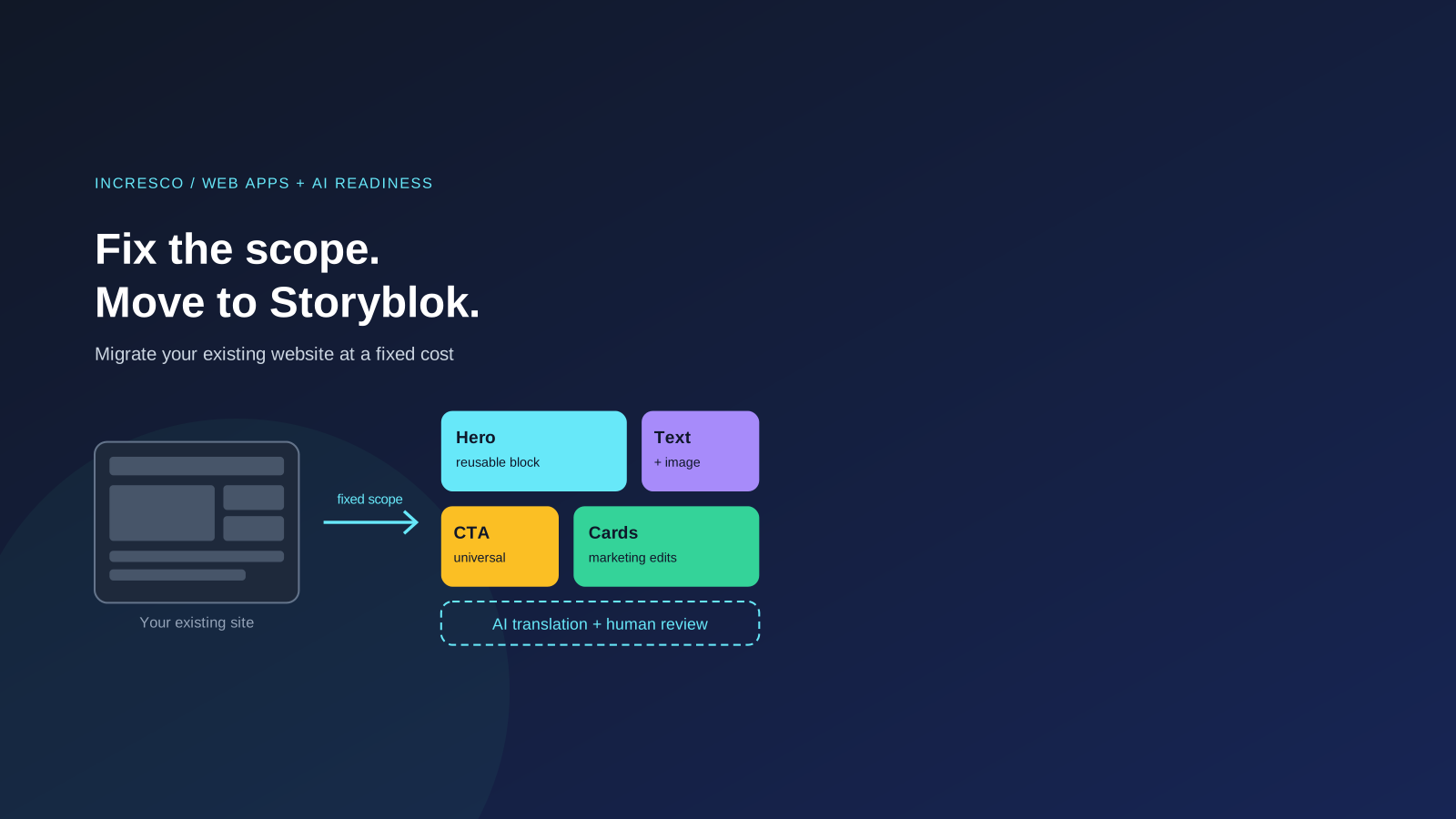
The biggest day-to-day gain of a migration to Storyblok is usually who can make a change. Per Storyblok’s Blocks documentation, nestable blocks such as text, image or hero are building blocks for page layouts, and a universal block such as a call to action can be used both as a standalone entry and as an element on a page. All blocks live in the Block Library, and presets can pre-fill a block with content. In the Visual Editor, an editor selects a block in the page preview to edit it, sees whether a story is draft, published or changed, and can schedule publishing for a later date and time.
This is how we frame the benefit, as our view and not a Storyblok claim: developers build each component once, to your design and rules. After that, your marketing team can assemble pages from those components, change text and images, and publish or schedule them without raising a developer ticket for every edit. A new type of component or a new layout still needs a developer, but the routine work does not. That is also why the scope in part 2 below should name the components, and say which fields marketing may change.
AI Translation and AI Content Creation Inside Storyblok
Storyblok’s AI Assistance documentation describes AI features inside the CMS. According to Storyblok:
- AI translations. Editors can generate machine translations of content in dozens of languages from the Visual Editor, for one field or for all text fields of a story. Storyblok’s Translations manual says to review the generated text before you use it. It also describes cloning a story into another language folder and translating the clone with AI, and a Management API endpoint that returns an AI translation without saving it. The manual says AI Translations is part of Storyblok Labs and still in beta, and that you enable it in the space settings.
- AI content creation. An Ideation Room for drafting and improving articles, AI-generated alt text for images in the asset manager, and an AI SEO app that generates SEO tags.
- Your own AI setup. Admins can use their own credentials and choose a provider and model from those Storyblok lists.
- Credits. Storyblok says its AI features consume AI credits, and the initial amount depends on your pricing plan.
These features change by release and some are in beta, so confirm what your plan includes at the time of the project. Machine output is a first draft. Names, legal wording, product claims and brand voice need a person to check them before publishing.
What a Fixed-Scope Migration Should Cover
Storyblok’s CMS migration guide lists phases: discovery, design, export, transform, migrate assets, migrate content, validate, SEO, rollout and post-migration. We group them into the six parts below. Each part is a line item in the written scope.
1. Content and URL Inventory
List every page, content type, image, document, embedded media item, relationship and integration, plus the existing redirects. Storyblok’s guide calls the result a content inventory and gap analysis. This list is what makes a fixed cost possible, because it shows how much there is to move.
Content that follows a repeating pattern, such as articles or press releases, can usually be migrated by script. Storyblok’s guide notes that content with an inconsistent structure may be quicker to move by hand. The inventory should say which pages fall into which group.
2. Content Model and Component Rebuild
Design how your content maps to Storyblok components and fields, and agree it before any content moves. Storyblok’s guide recommends a proof of concept for the content model and warns against rushing it. It also suggests using the migration to simplify: keep what has proven to work and drop clutter.
Then rebuild your page layouts as components that editors can reuse. Decide in the scope how many components are included, so that “one more page type” has a defined answer. Also list which fields your marketing team may change on its own, so that day-to-day edits never wait for a developer.
3. Content and Asset Migration
Move text, images and files into Storyblok with scripts or the importer tools, and keep a table that maps each old asset URL to its new location. Clean up the content on the way, for example converting HTML to rich text and fixing broken links. Then compare the source with the result.
4. Redirect Map and SEO Preservation
Write an old-to-new URL map before launch and name an owner for it. Google’s guidance says to use server-side permanent redirects such as 301 or 308, to avoid redirect chains, to give each new URL a self-referencing canonical tag, to submit a sitemap with the new URLs and to keep redirects for at least a year where possible. Storyblok’s guide adds preserving SEO metadata and updating sitemaps.
Check the result by comparing the sitemap of the old site with the new one, and run a broken-link check inside the Storyblok space, as Storyblok’s guide suggests.
5. AI Translation and Content Workflow (Optional, Agreed in the Scope)
If you serve more than one language or publish often, put the AI workflow in the scope too: which languages, which content types, which Storyblok AI settings, and who reviews each AI draft before it goes live. Setting this up during the migration is cheaper than adding it later, because the content model already has the language and review fields in place.
6. Staged Cutover and Monitoring
Launch in stages, monitor the live site, and keep a way back. Storyblok’s guide lists rollout as deploying, monitoring and rolling back if needed. Afterwards, watch indexed pages, crawl errors and enquiries in Search Console and analytics for several weeks, and train editors on the new content model. Google notes that rankings can fluctuate while it recrawls a moved site, so a short dip does not by itself mean something is wrong.
What to Ask Before You Sign
These questions are our view of what a fixed cost depends on.
- Where is the inventory, and who signed it off?
- Which page types and components are in scope, and which are not?
- Is the design staying as it is, or is that a separate project?
- Which components will marketing be able to use and edit without a developer, and what still needs developer time?
- If you need translations or AI-assisted content, which languages and content types are in scope, and who reviews the AI output?
- What is the process and the cost basis for changes beyond the scope?
- Who owns the redirect map, and how is it tested?
- What is the monitoring plan for the weeks after launch, and who acts on a problem?
Any provider, including us, should answer each question in writing before work starts.
The Rule to Adopt
Never approve a website migration without a written scope that lists the content inventory, the content model and components, the redirect map with a named owner, a staged cutover and a post-launch monitoring plan. Add the list of components your marketing team can edit on its own. If you use AI for translation or content, add one more line: a named person reviews every AI draft before it is published. A fixed cost is only as good as the scope behind it. With the scope in writing, the cost is predictable, your search traffic is protected and your AI output stays under your control.
How Incresco Helps
Incresco builds web and mobile applications, cloud integrations, Salesforce solutions, WhatsApp experiences and AI agents. We can move your existing website to Storyblok as a fixed-scope project at a fixed cost: we inventory your site, agree the scope in writing, rebuild your pages as editable components, migrate content and assets, build and test the redirect map, and run a staged cutover with monitoring. We described our own earlier move to Storyblok and Astro in Site Performance: Our Move to Astro & Storyblok.
We build the reusable components so your marketing team can maintain and publish pages without a developer for day-to-day changes. As part of the migration we can also set up AI-assisted translation and content production inside Storyblok, with human review built into the workflow. Once your content is structured, it can also feed AI agents on your website, in WhatsApp or in your CRM, as part of an AI transformation. See our custom platform development services for the engineering side.
Want to know what moving your website to Storyblok, with reusable components and AI translation and content tools set up, would take? Contact Incresco and ask for a fixed-scope migration assessment. We will review your site, list what is in scope, including languages and AI workflow, and give you a written scope and fixed cost to approve before work starts.
Sources and Scope
- Storyblok, CMS Migration: migration phases, content inventory, content model, asset mapping, validation, SEO, rollout and post-migration advice.
- Storyblok, Content Modeling: fields, blocks and stories.
- Storyblok, AI Assistance and Translations: AI translations, alt text, ideation, SEO tags, AI setup and credits, and the beta status of AI Translations.
- Storyblok, Blocks and Visual Editor: nestable and universal blocks, the Block Library, presets, editing with a page preview, publishing and scheduling.
- Google Search Central, Site Moves and Migrations: redirects, canonical tags, sitemaps, timing and the one-change-at-a-time advice.
Sources checked on October 8, 2026. The scope recommendations are ours and describe good practice, not a guarantee of search ranking. Storyblok features, plan limits and beta status can change. Cost depends on the size and complexity of your site and is agreed in writing after an assessment.
Related Articles
Business
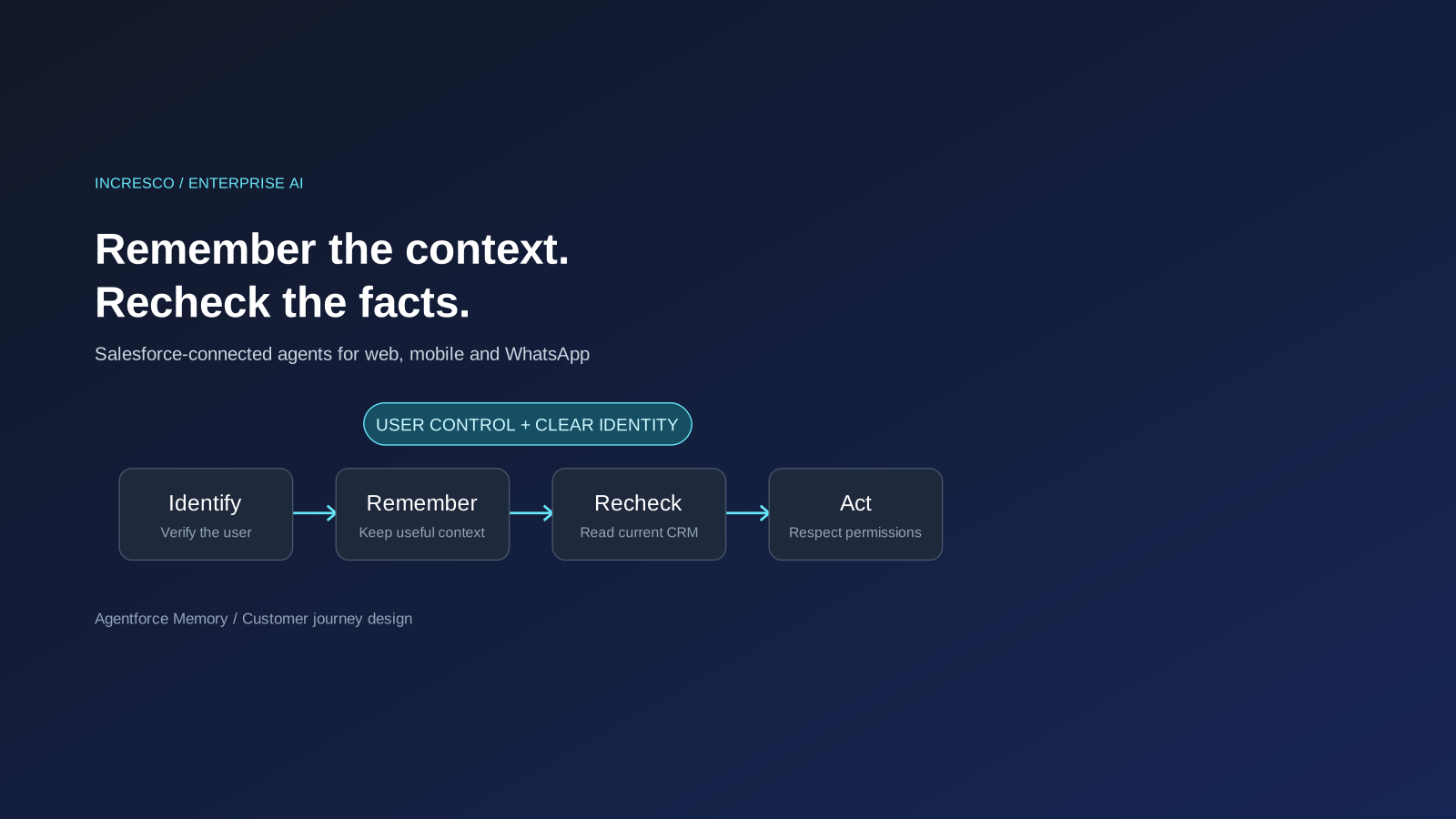
Agentforce Memory: What Salesforce and WhatsApp AI Agents Should Remember
Salesforce's new Agentforce Memory engineering article explains persistent context. What should web, mobile and WhatsApp AI agents remember, refresh or forget?
Read Insight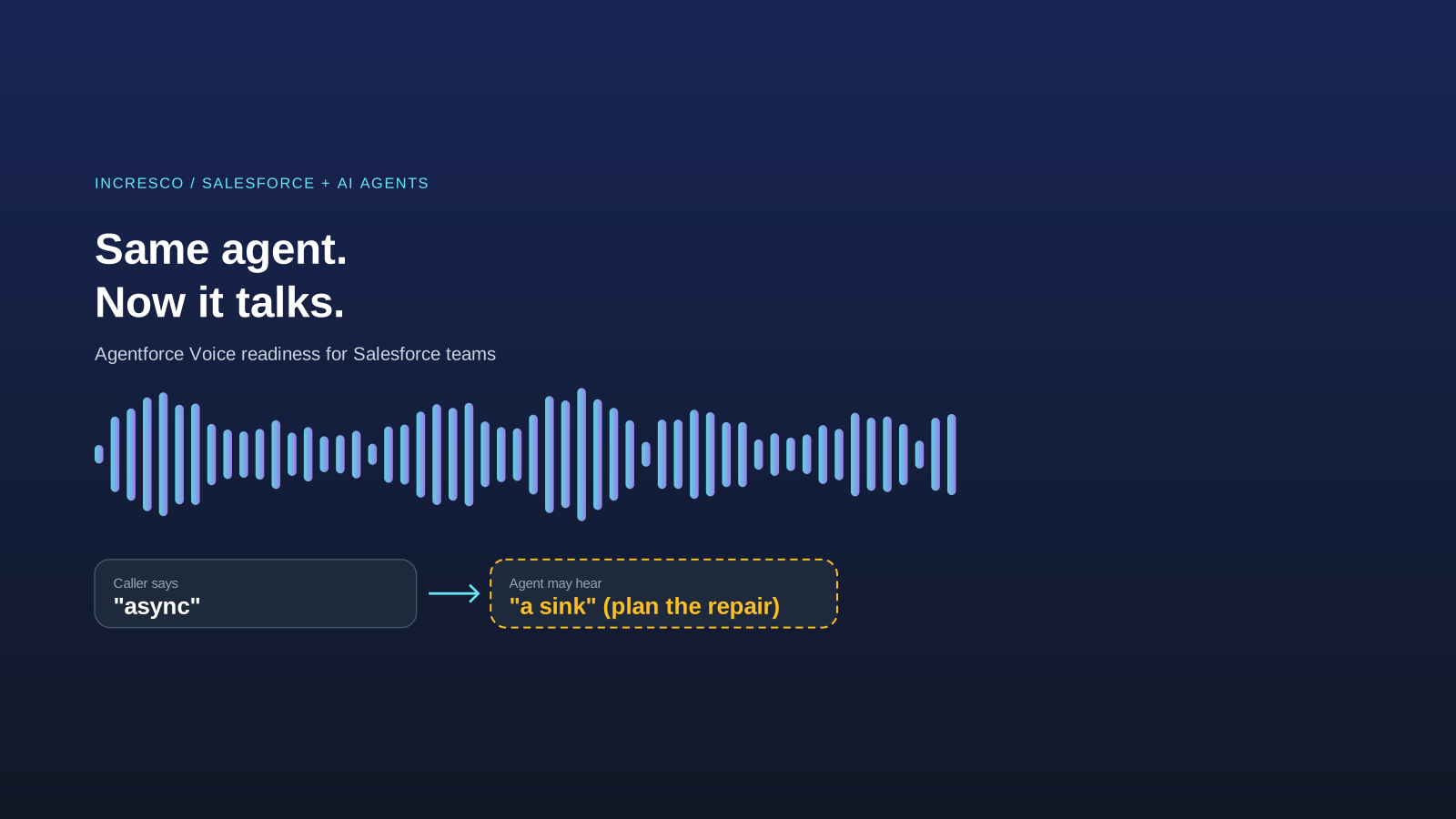
Engineering
Agentforce Voice for Agent Script: What to Check Before Your Salesforce Agent Starts Talking
Salesforce says you can add voice to an Agent Script agent without a rewrite. See what your org needs first and how to write agent instructions for the ear.
Read Insight